Assigning Discounts to Customers
1 min
Once a discount has been created and activated—meaning it is locked and no longer editable—it can be assigned to specific customers.
To assign a discount, go to the customer's profile and click on Add Discount.
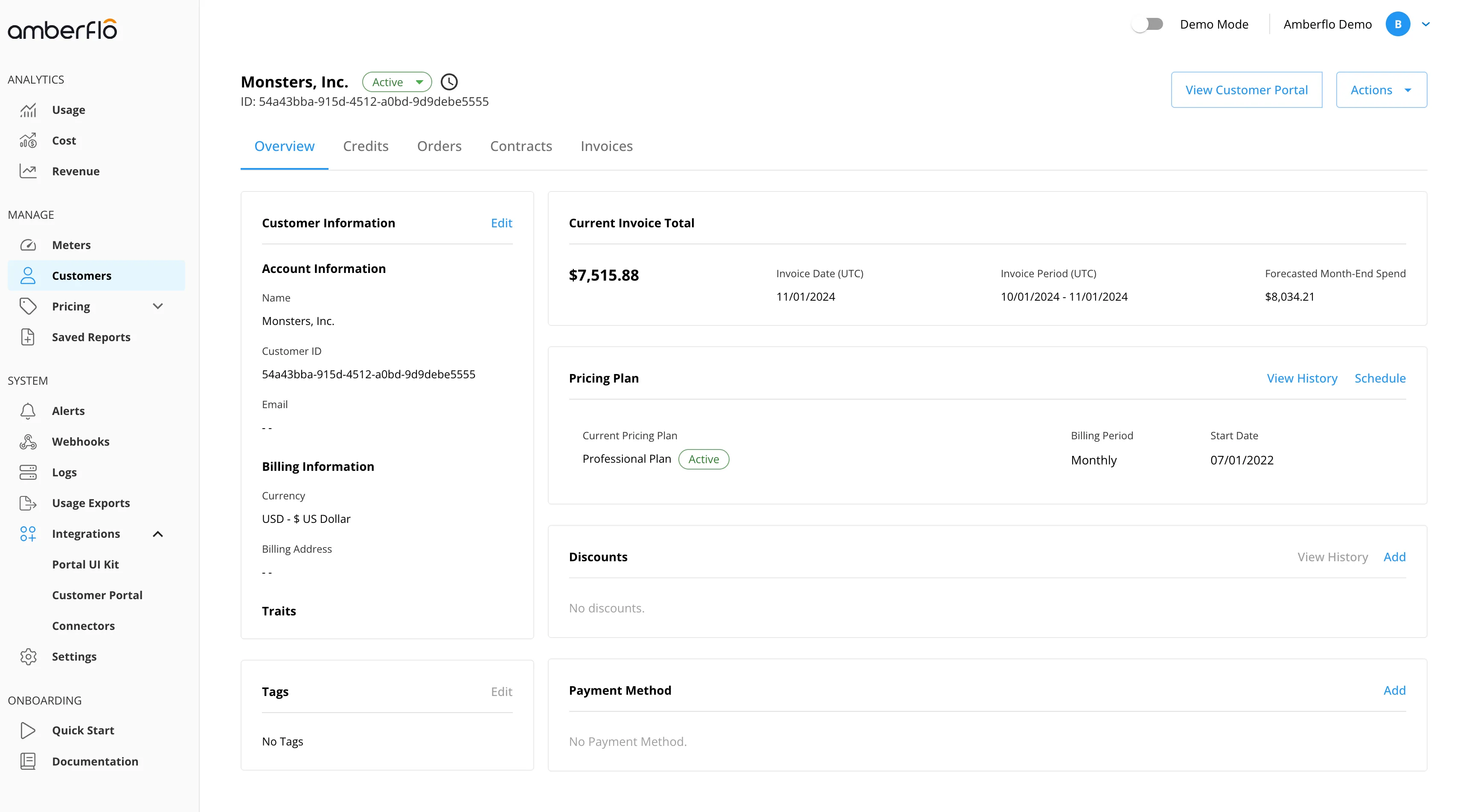
You will then configure the terms of the discount, including:
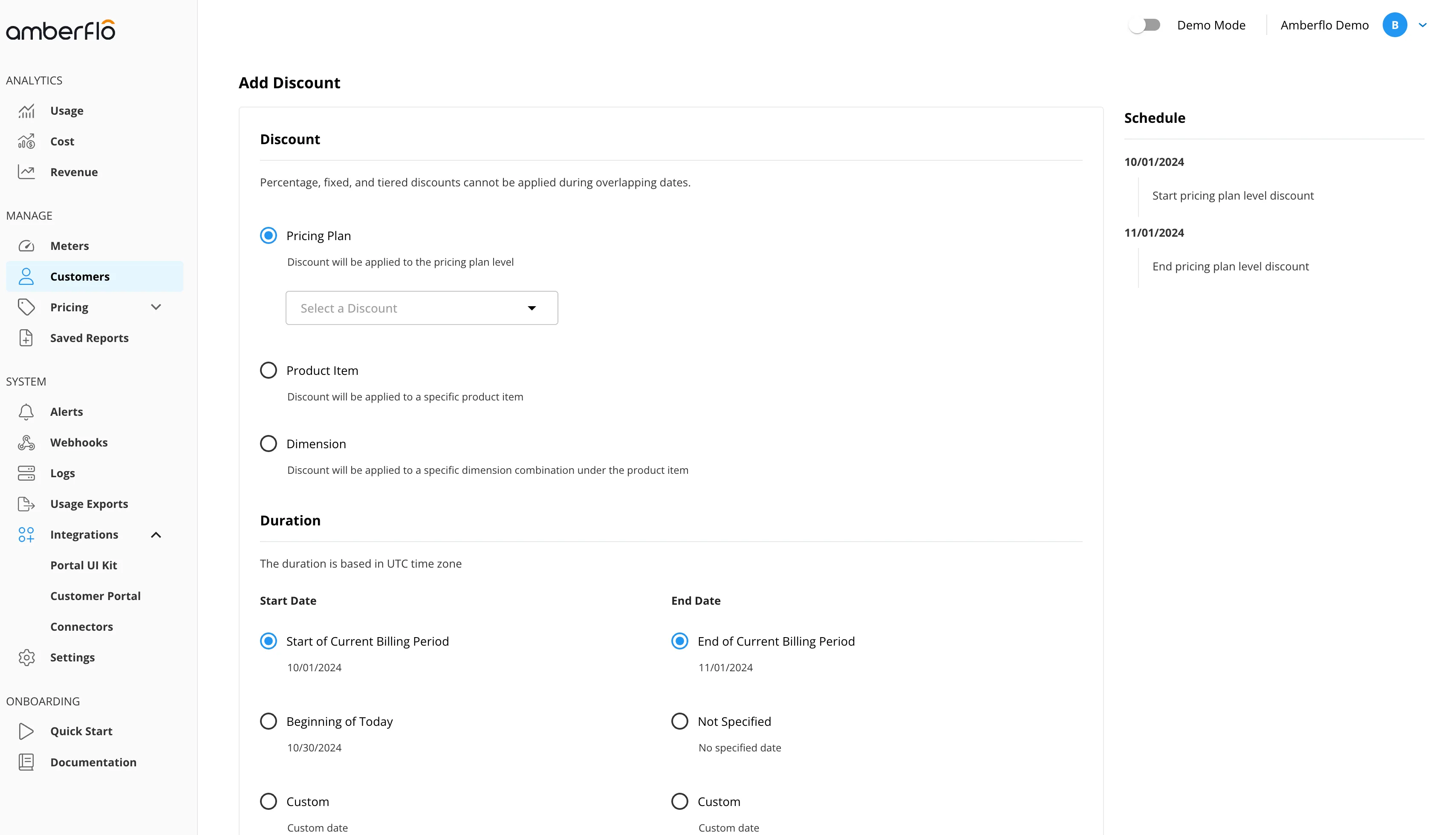
- Whether the discount applies at the pricing plan level or to a specific product item
- Selecting the applicable discount from the dropdown list of activated discounts
- Defining the schedule, which determines the time range during which the discount will be applied
Mid-cycle discounts
If you want the discount to start or end mid-cycle, select Custom as the start and end dates. This allows you to define a specific time range that doesn’t need to align with billing cycle boundaries.