Meter Lifecycle
Meter Status and Management
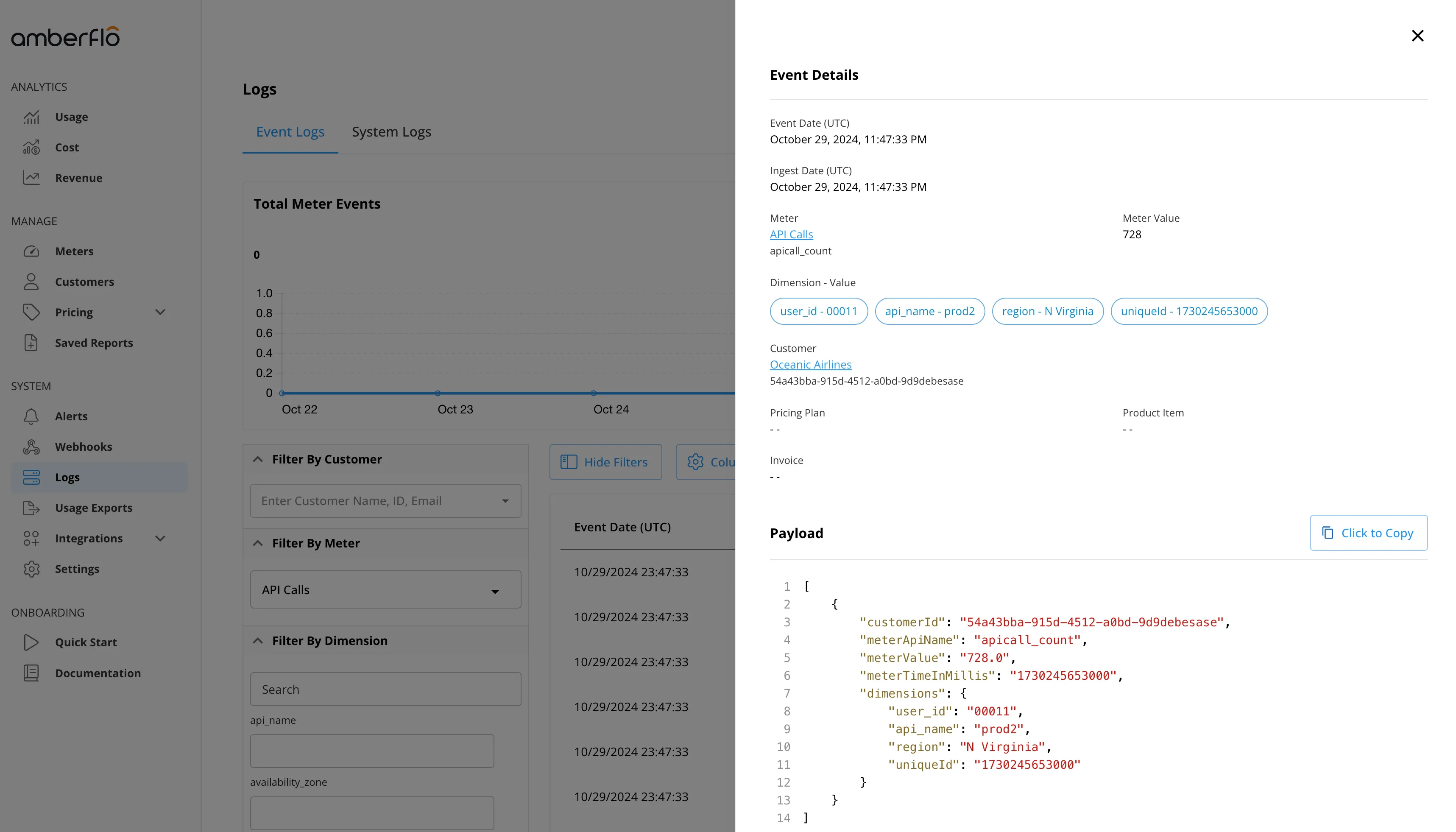
All meters, regardless of their status, appear by default in the Meters view. The Status column indicates each meter’s current state, and users can filter meters using the All, Active, Draft, and Deprecated toggle buttons, as shown in the screenshot below.
Draft Meters
When a meter is created, it begins in Draft mode. This allows you to:
- Edit the meter name, connected API, aggregation rules, and dimensions.
- Ingest sample events to validate payload structure and mapping.
Draft meters can be connected to product items and included in pricing plans. However, once a pricing plan is activated, any associated Draft meters are automatically changed to Active status. At that point, the meter becomes locked and cannot be modified further.
Active Meters
Meters in Active status are intended for production use and are locked from further edits. This restriction ensures consistency in pricing and billing. Modifying an active meter is not allowed, as it could introduce errors or inconsistencies during a billing cycle.
To make changes to an active meter, follow these steps:
- Deprecate the existing meter.
- Create a new meter with the updated configuration.
Deprecated Meters
Deprecated meters are no longer connected to product items and are not used in generating invoices. They remain visible in the system, and all historical data associated with them is still accessible for reporting or analysis.
Event Logs
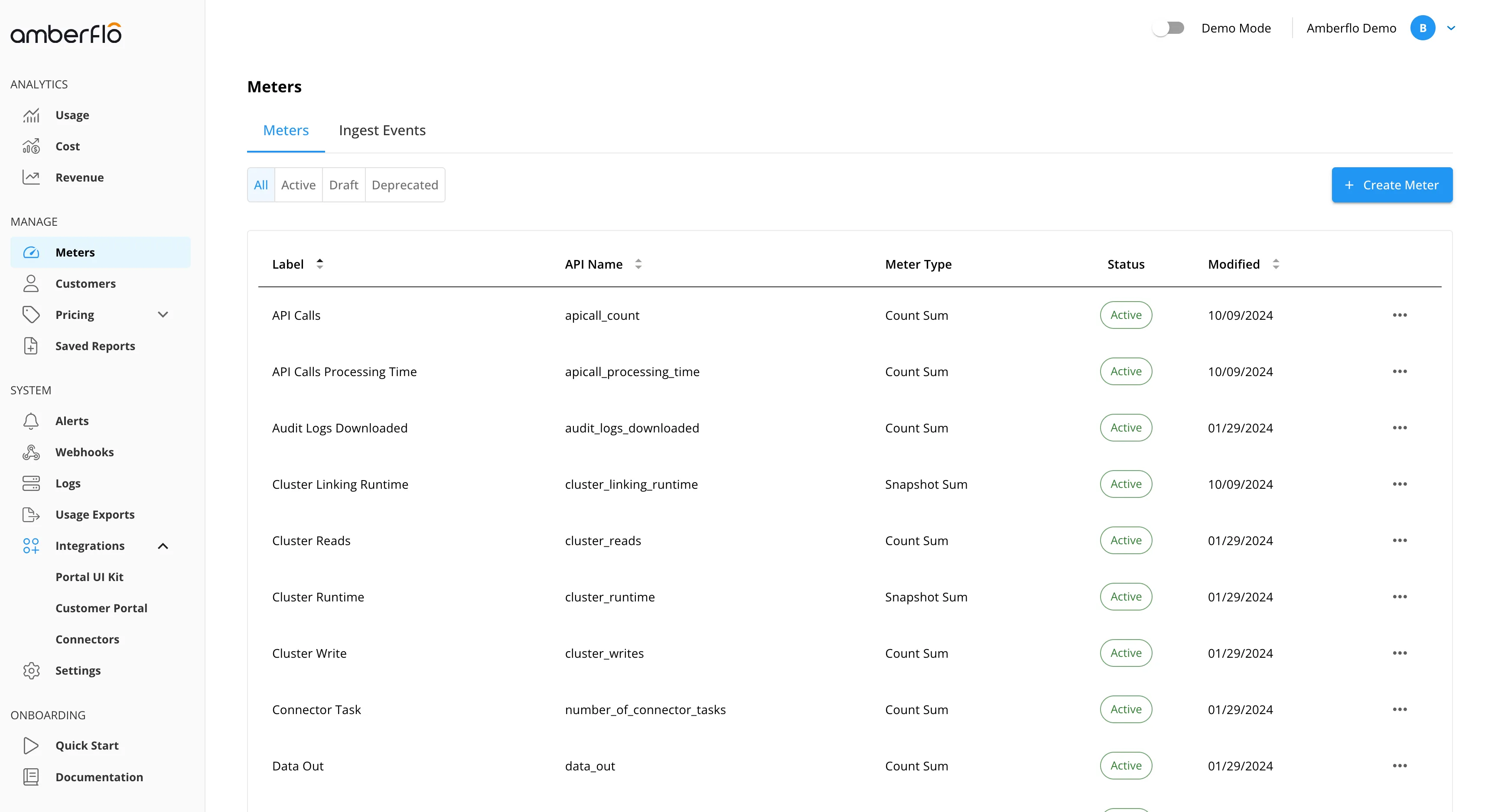
The Event Logs view provides complete visibility into every meter event, from ingestion through to invoice assignment.
Each event is listed in chronological order and can be expanded to reveal detailed information, including:
- Meter name and value
- Timestamp of ingestion
- Raw JSON payload
- Linked pricing plan
- Invoice containing the event
This view enables end-to-end traceability and supports auditing of metering and billing activities.