System Logs
System Logs provides visibility into events triggered by your Amberflo account, along with the associated event object payloads, directly within the Amberflo console.
Currently, the following event types are available in System Logs:
- Webhook events
- Alert events
- Job events
- Data export events
Amberflo plans to expand this list to include additional event types in the future.
Accessing System Logs
To view System Logs:
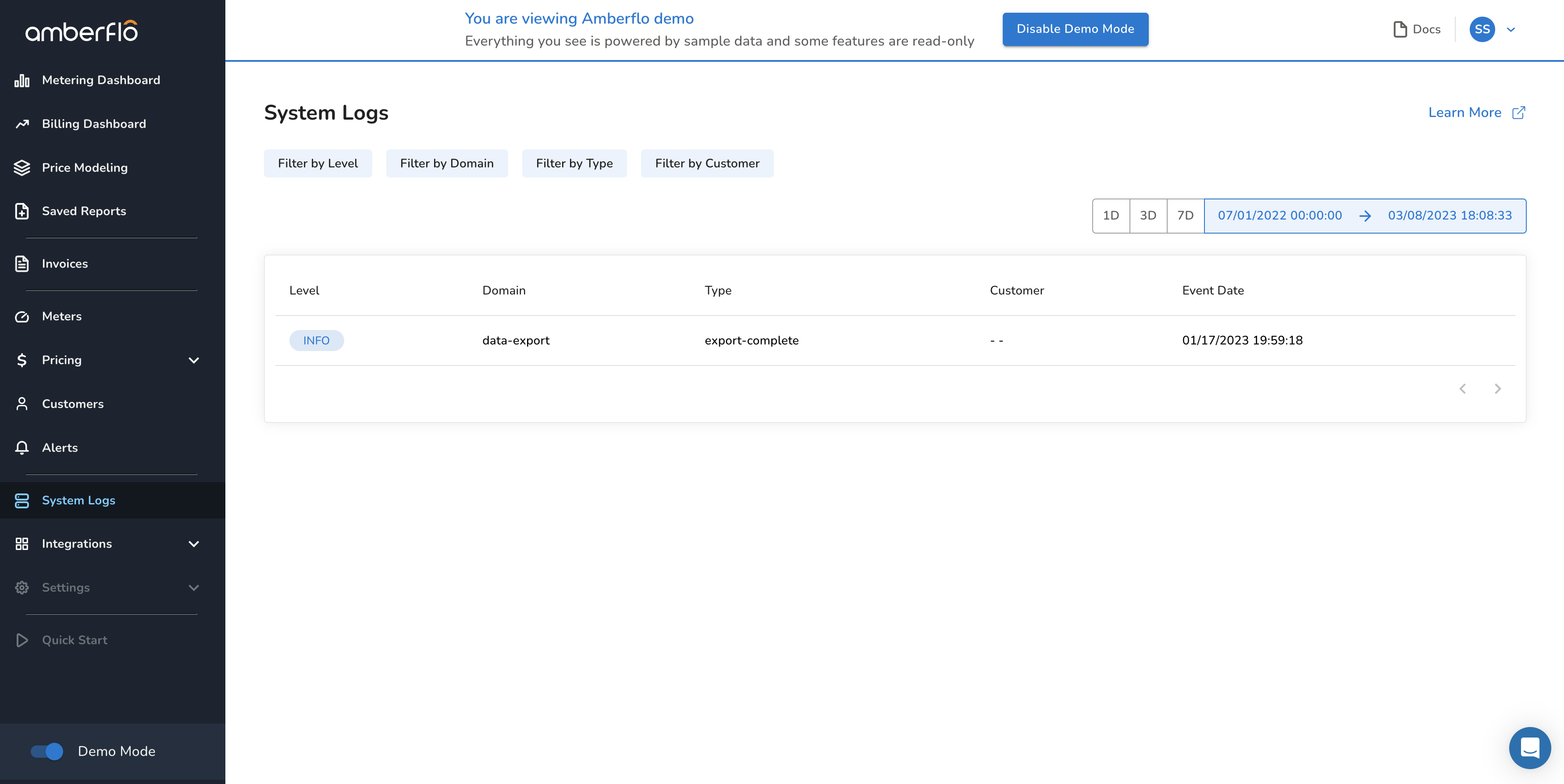
- Navigate to System Logs from the main navigation menu in the Amberflo console.
- Select the desired date range.
- Any tracked events within that range will be displayed.
For example, if a data export job was completed during the selected timeframe, it will appear in the logs.
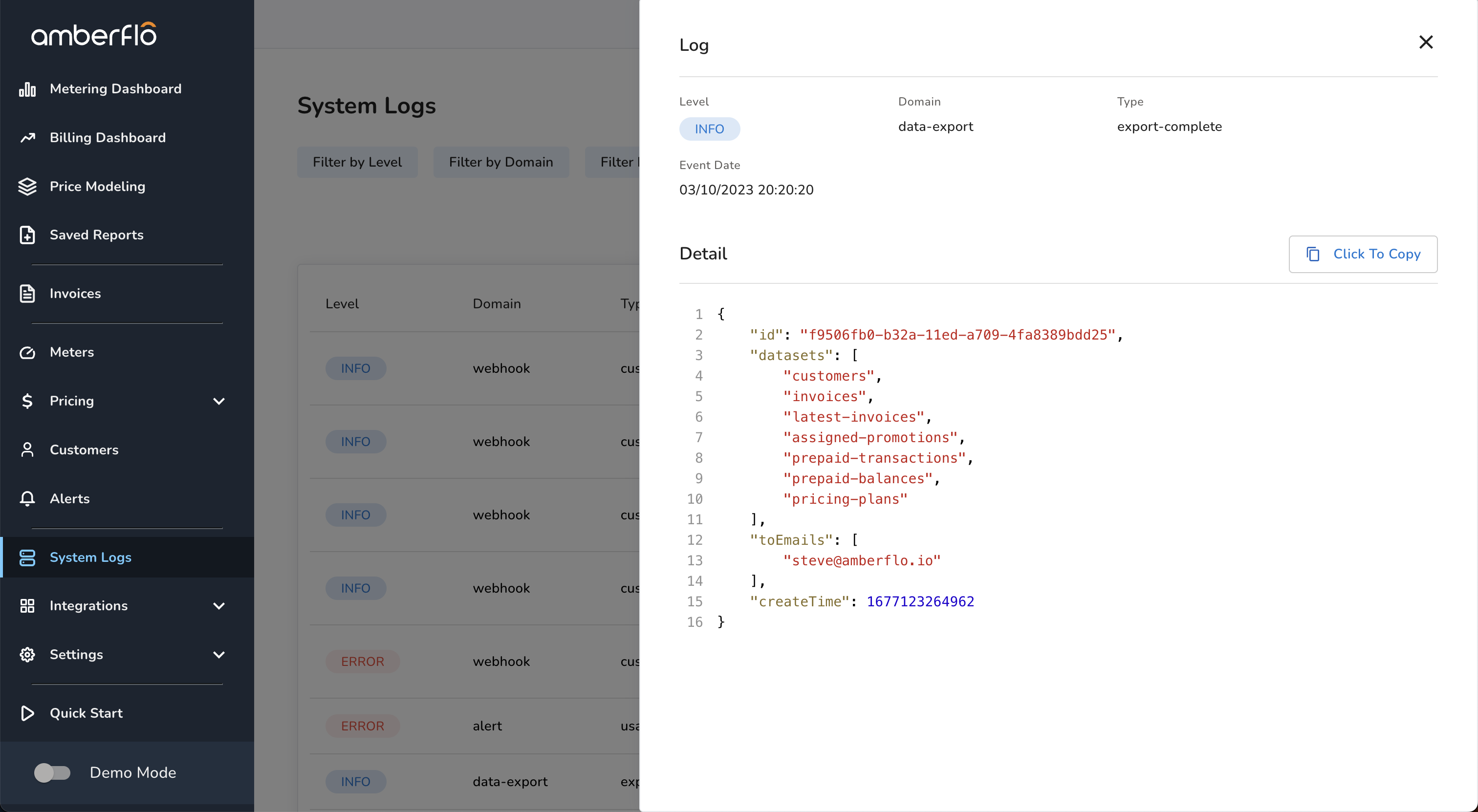
After selecting an event from the list view, the log will expand to include the detail view. This shows the log details and full payload. See the screenshot below for an example:
Log Event Attributes for Filtering
Amberflo allows filtering system logs using the following attributes to help identify and group relevant events in a production environment:
- Level: Indicates the severity of the event.
- Possible values: INFO (successful event), WARN, ERROR.
- Domain: Indicates the category the event belongs to.
- Possible values: webhook, alert, data-export, job.
- Type: Offers more detailed categorization within a domain.
- Example: For domain webhook, the type could specify the kind of event that triggered the webhook.
- Customer: Indicates which customer the event is related to.
- Not all events have an associated customer.
- Example: A weekly usage export job won't be tied to a specific customer, while alert-related logs typically will be.
Alerts, Jobs, and Data Export Events
- Alerts: System Logs capture each alert that is triggered. Logs include timestamps and associated customer details, enabling a complete audit trail of alert history.
- Data Export Events: Each attempt to export data is logged with a timestamp and status (e.g., completed, failed).
- Jobs: Long-running data operations such as batch usage queries are tracked as jobs. These are logged under the job domain to ensure traceability even if they time out in the main interface.
Webhook events
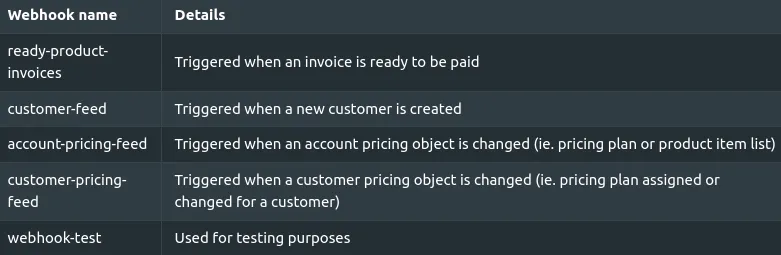
Amberflo automatically logs webhook events across five categories. The table below contains information on the webhook events that are automatically tracked via the logging system.
Log Retention
The events in the System Logs are kept for 90 days, after which they are delete.