React.js Widgets
Here is the list of all the available components that you can integrate into your own React.js application.
Available Widgets
All widgets use internally some hooks to retrieve and update data. You can subscribe to them, to show loading or error statuses. Or just to get the raw data to render in the format you desire. (Advanced). You can read more about hooks here
Each view has linked the hooks that are consuming, so you can subscribe to them.
Billed Usage
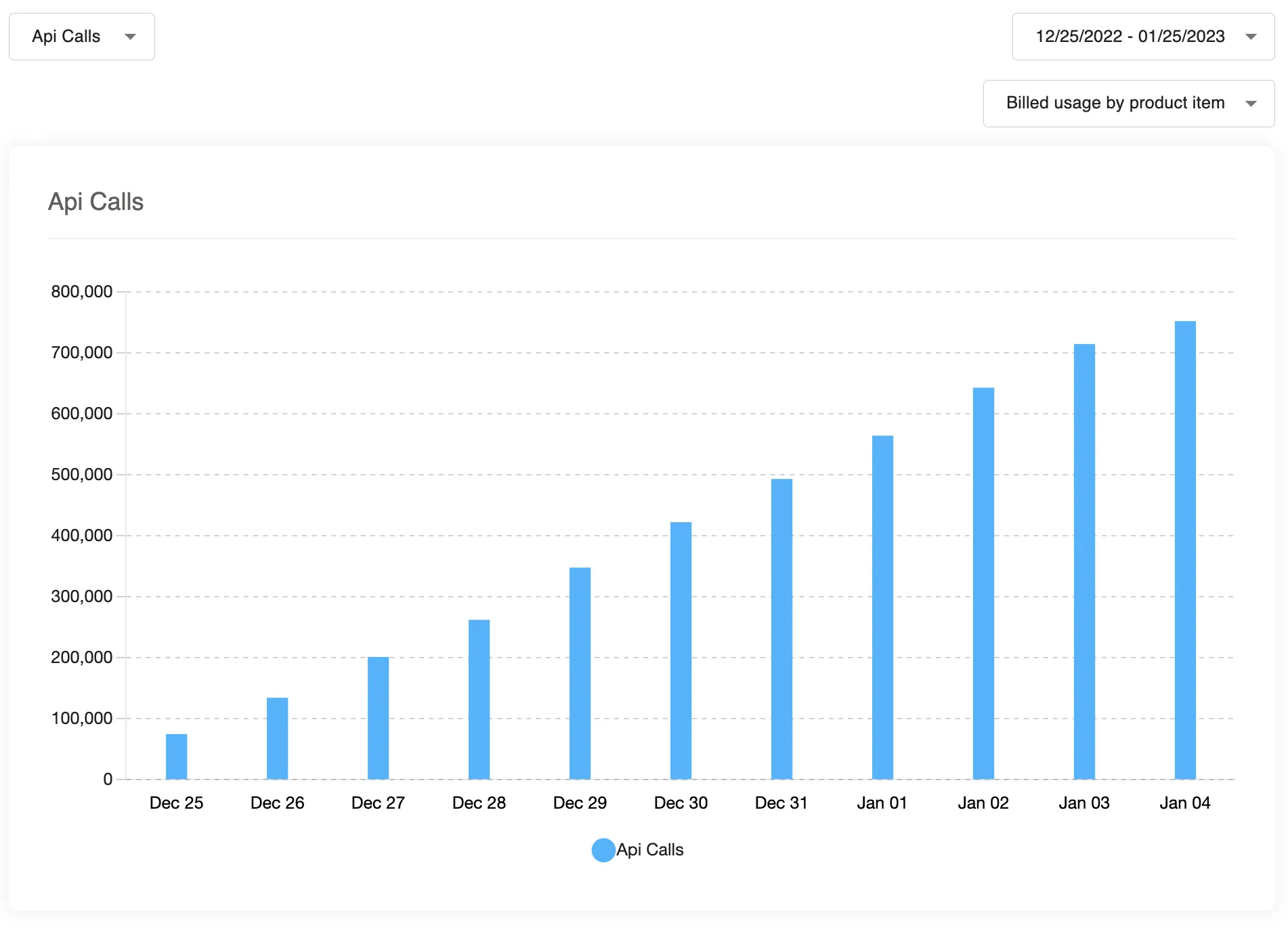
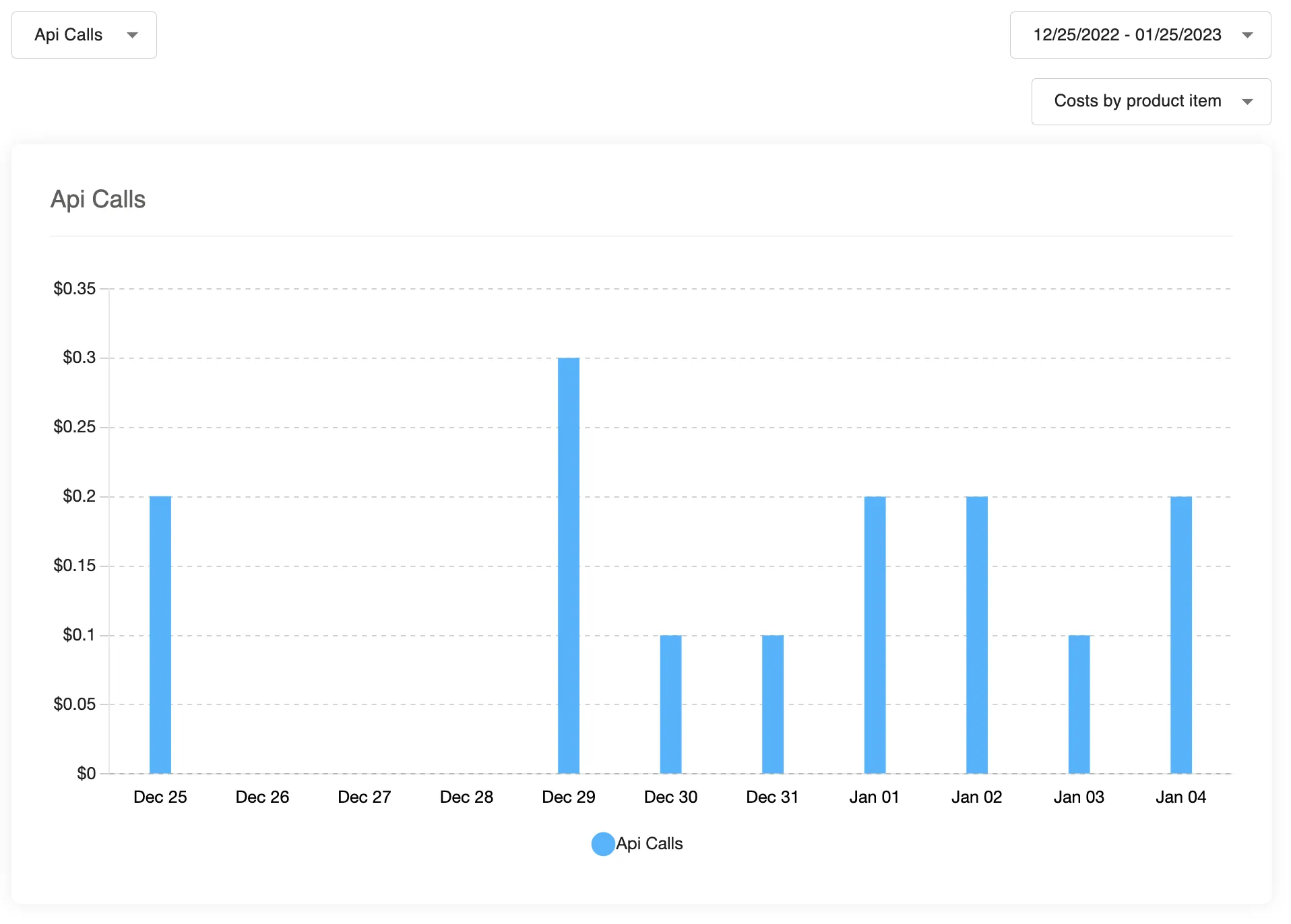
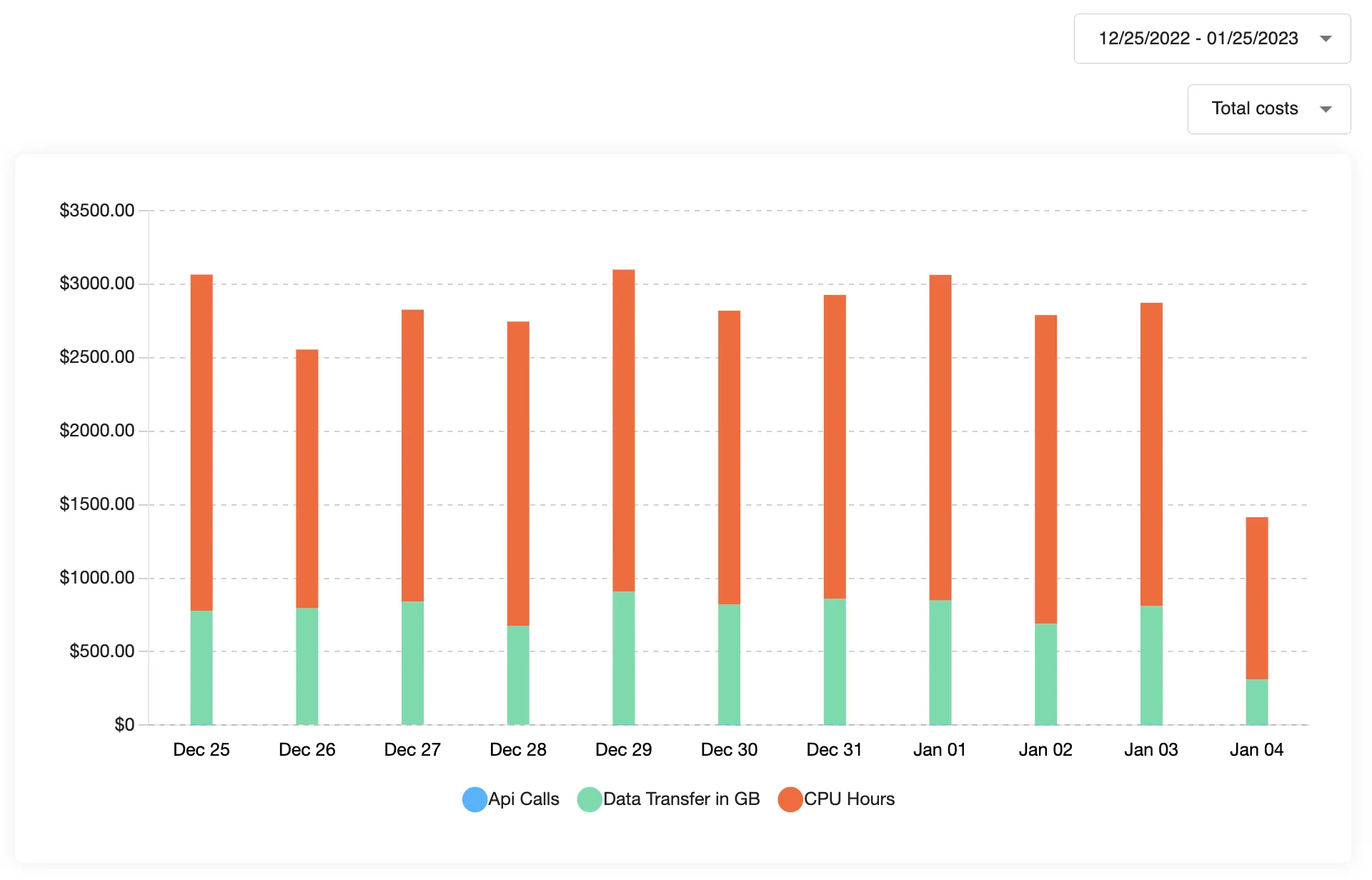
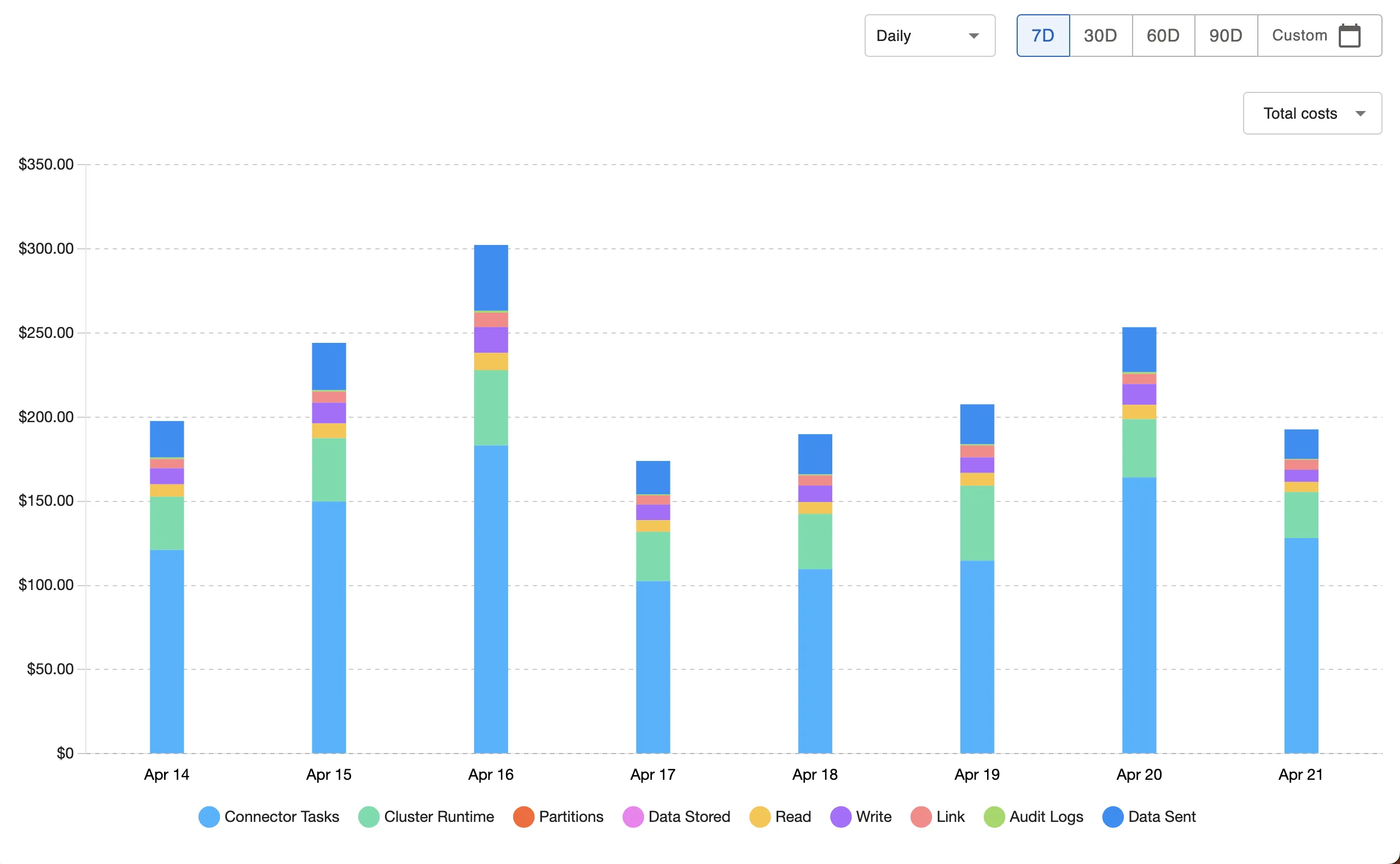
How to import:
import { CostAndBilledUsage } from '@amberflo/uikit'
Available Props
To see common props check ReactJS Integration / Common Props
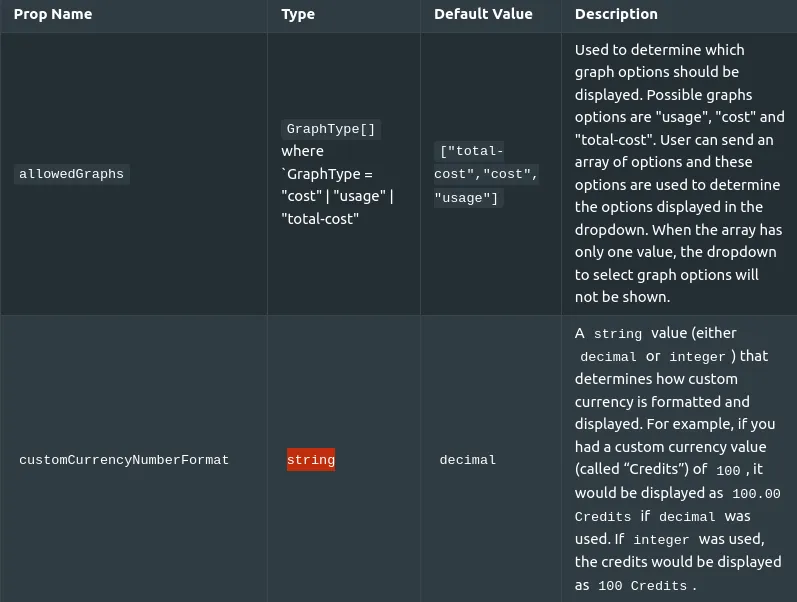
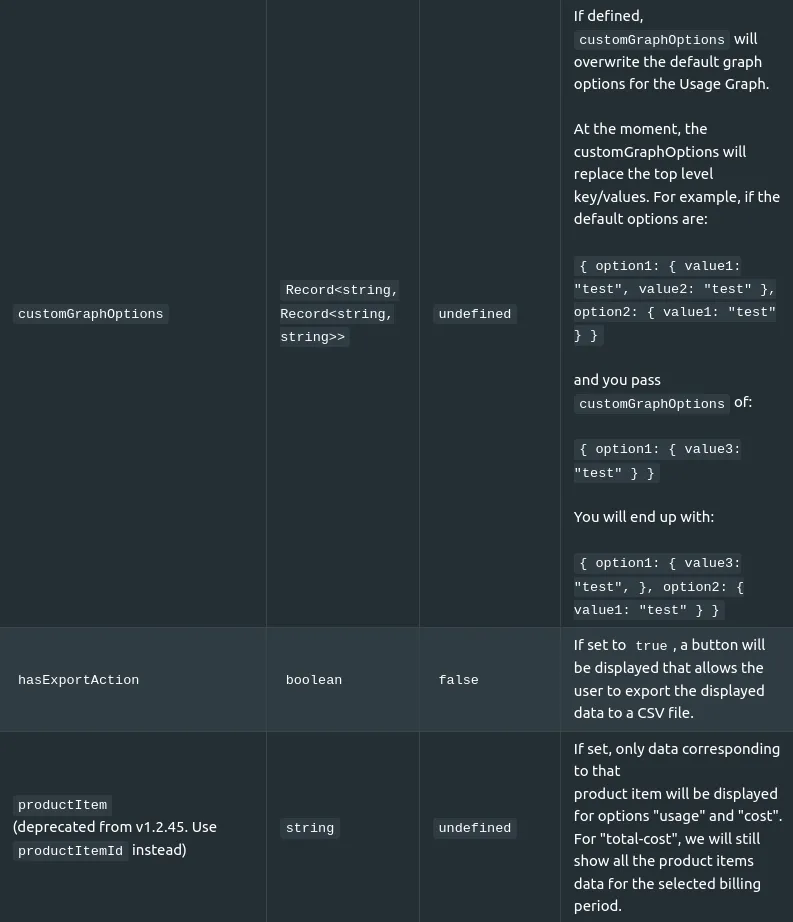
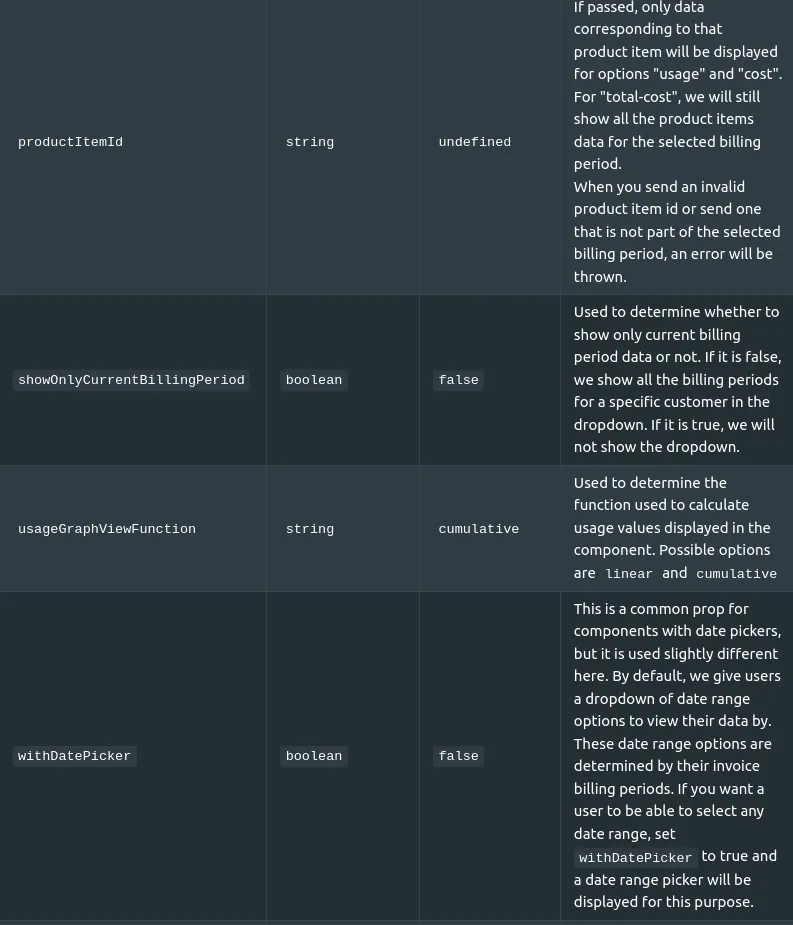
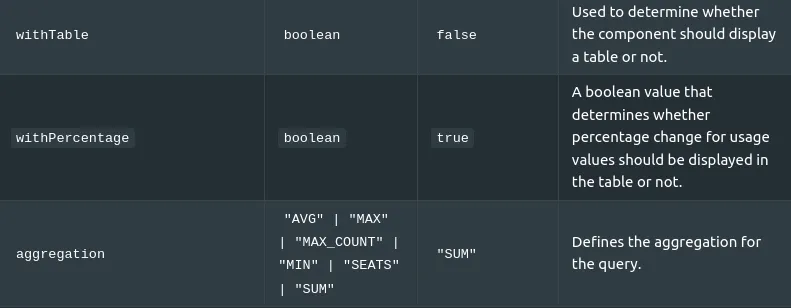
Used Hooks
Charge Explorer Bar Graph
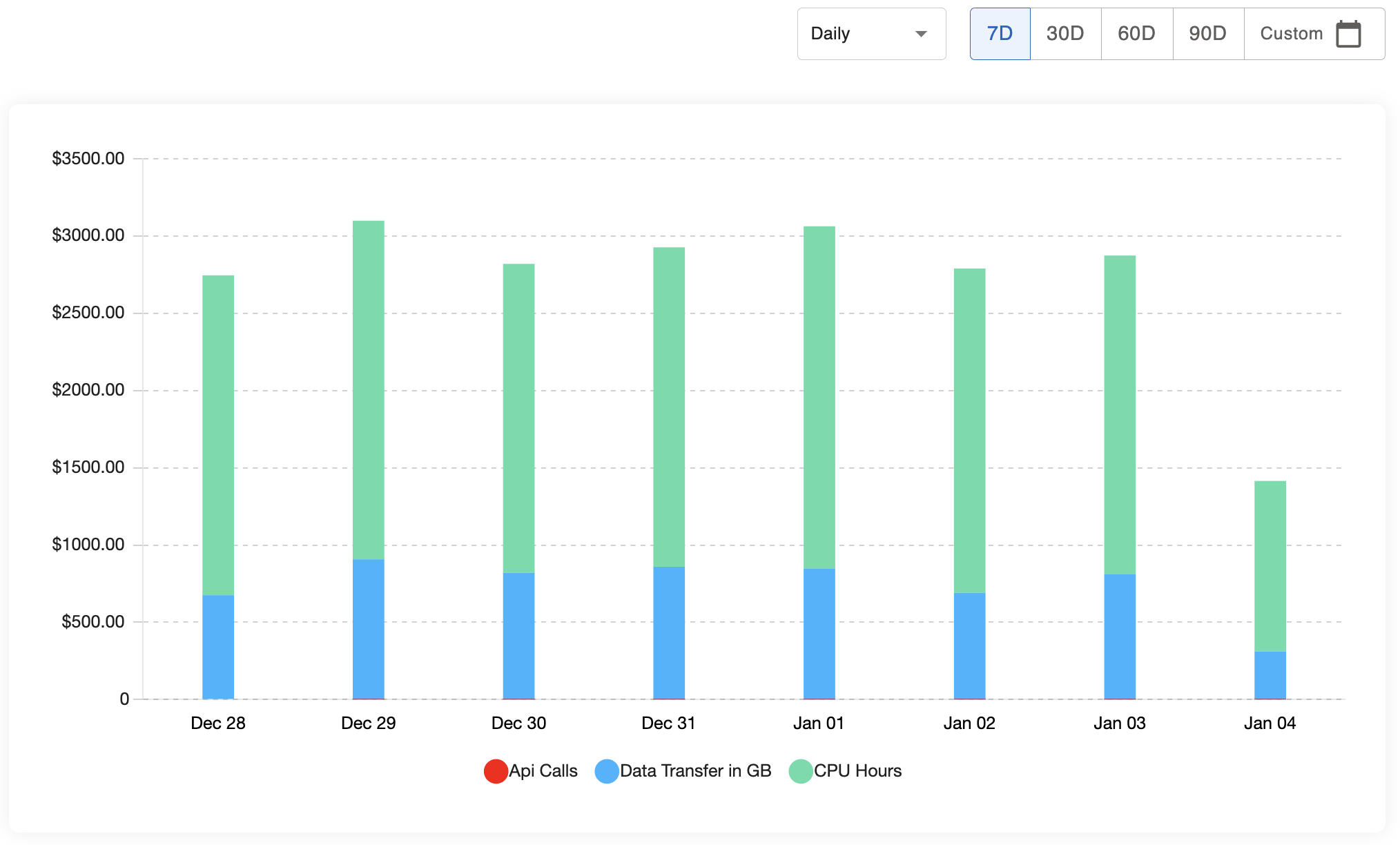
How to import: import { CostExplorerBarGraph } from "@amberflo/uikit";
Available Props
There are no specific props for this view. To see common props check ReactJS Integration / Common Props
Used Hooks
Charge Table
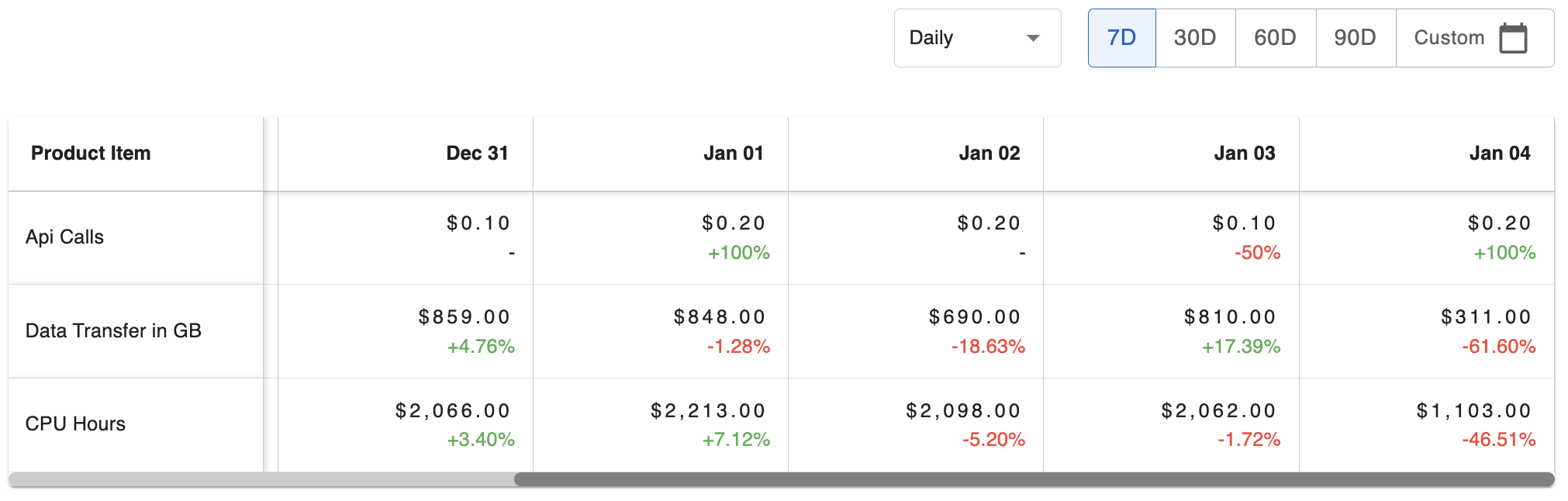
How to import:
import { CostExplorerTable } from '@amberflo/uikit'
Available Props
To see common props check ReactJS Integration / Common Props
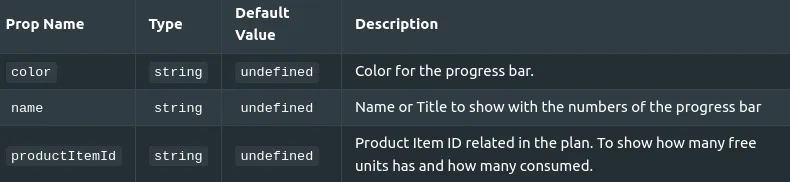
Included Units

How to import: import { IncludedUnits } from '@amberflo/uikit'
Available Props
To see common props check ReactJS Integration / Common Props
Used hooks
Credits Ledger
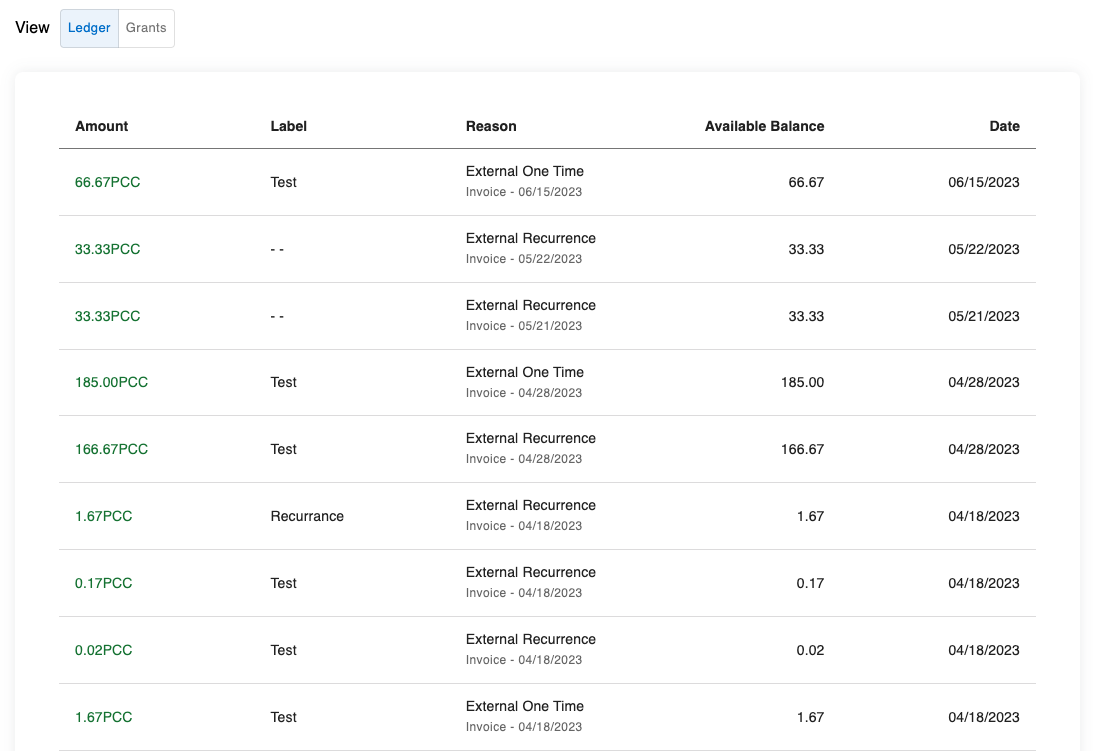
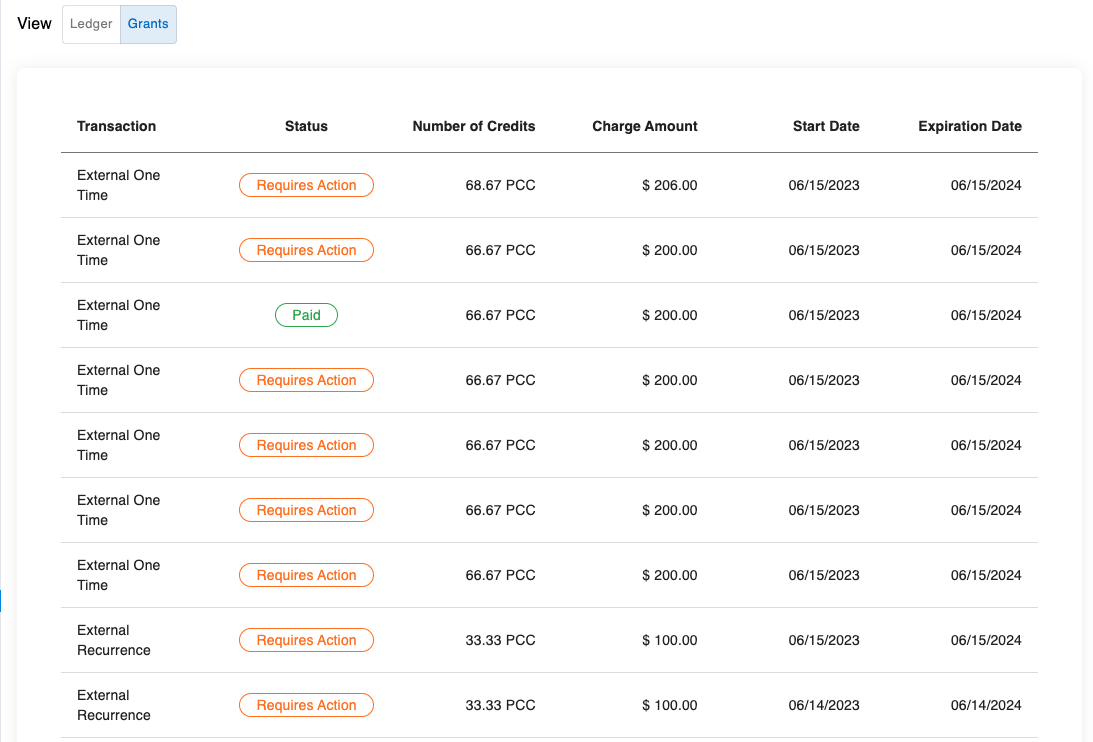
How to import: import { CreditsLedger } from "@amberflo/uikit";
Available Props
To see common props check ReactJS Integration / Common Props
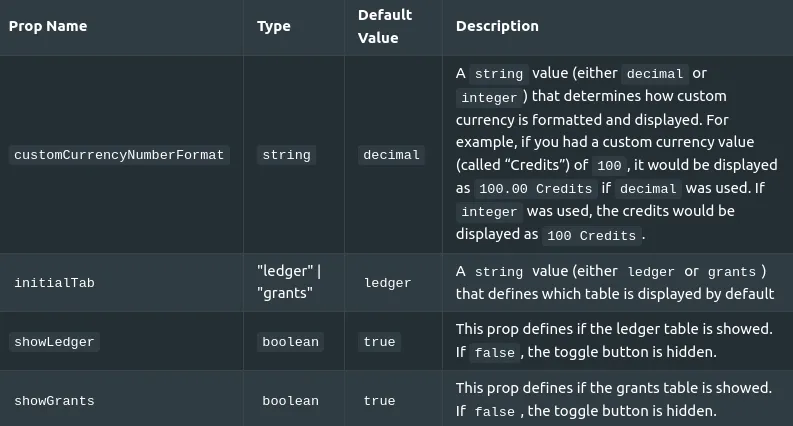
Used Hooks
Invoice Details
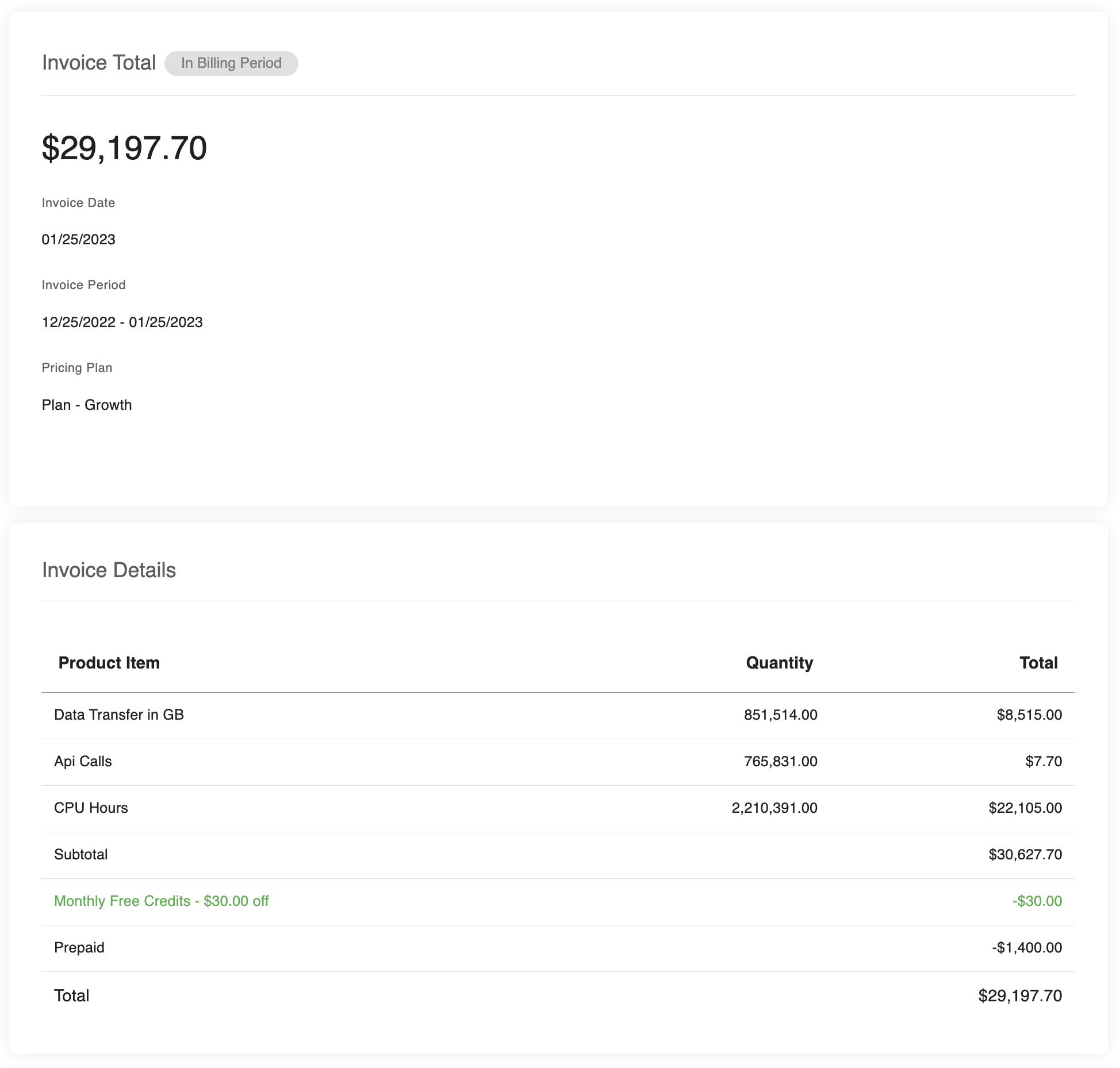
How to import:
import { InvoiceDetails } from '@amberflo/uikit'
Available Props
To see common props check ReactJS Integration / Common Props
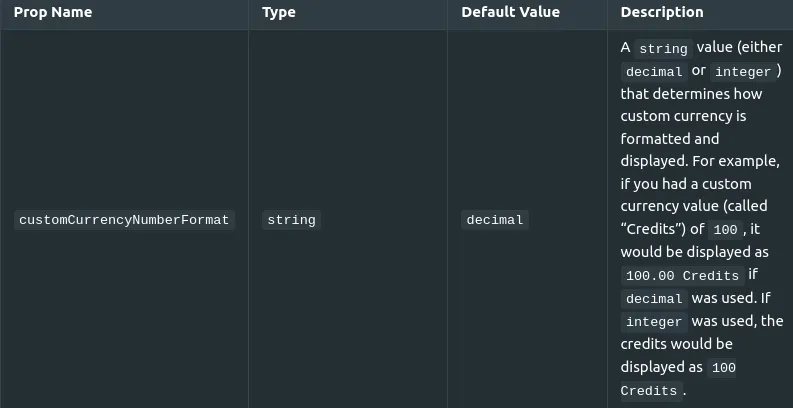
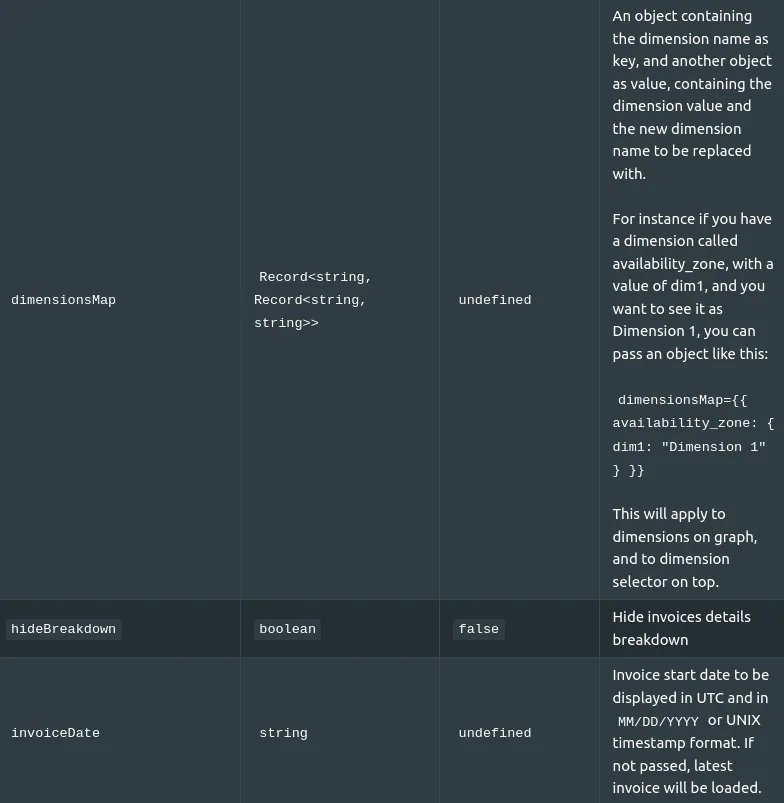
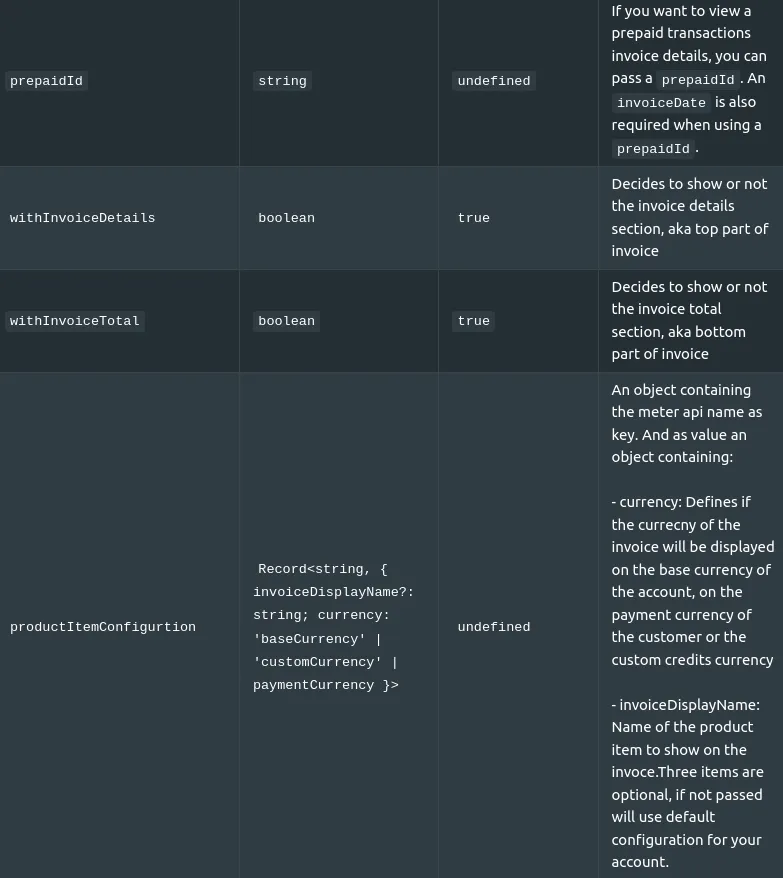
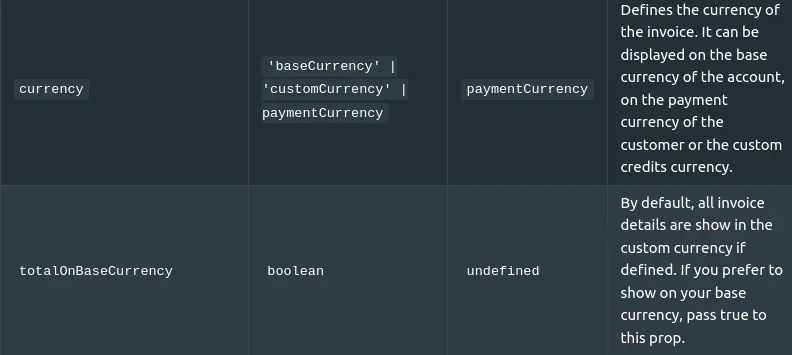
-Note: Invoice data displayed in this component is affected by Invoice-related options.
Used Hooks
Invoice PDF

How to import:
import { InvoicePdf } from '@amberflo/uikit'
Available Props
To see common props check ReactJS Integration / Common Props
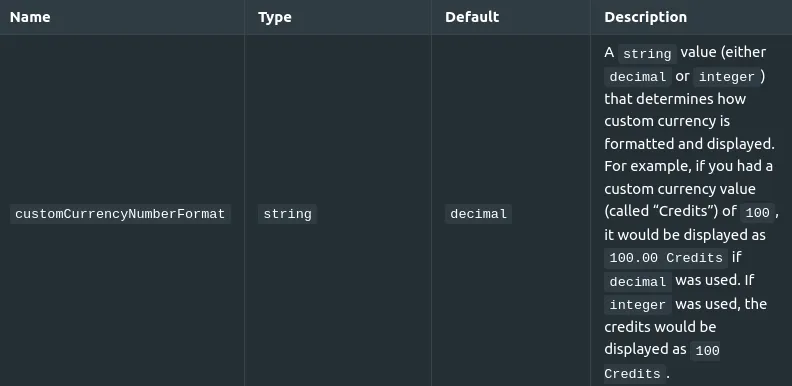
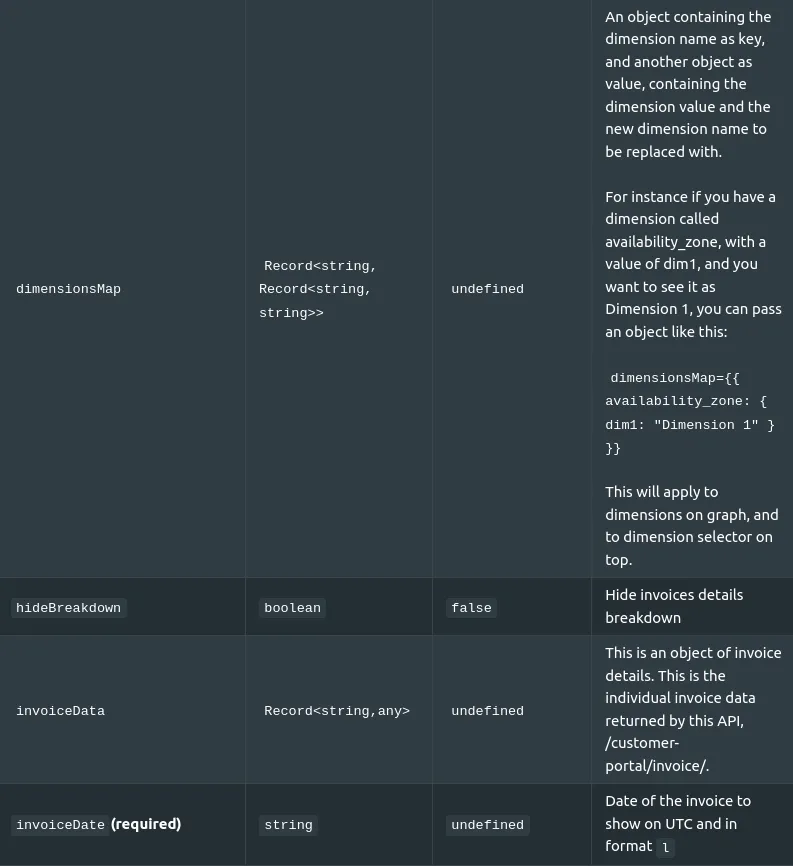
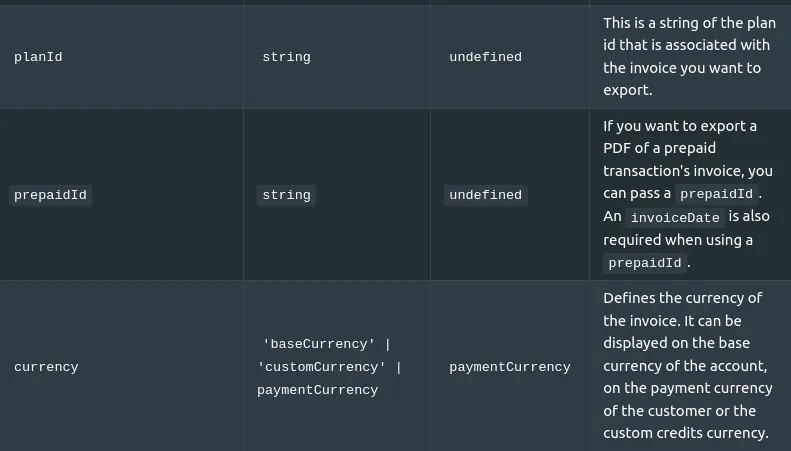
Note: Invoice data displayed in this component is affected by Invoice-related options.
Used Hooks
Invoices List
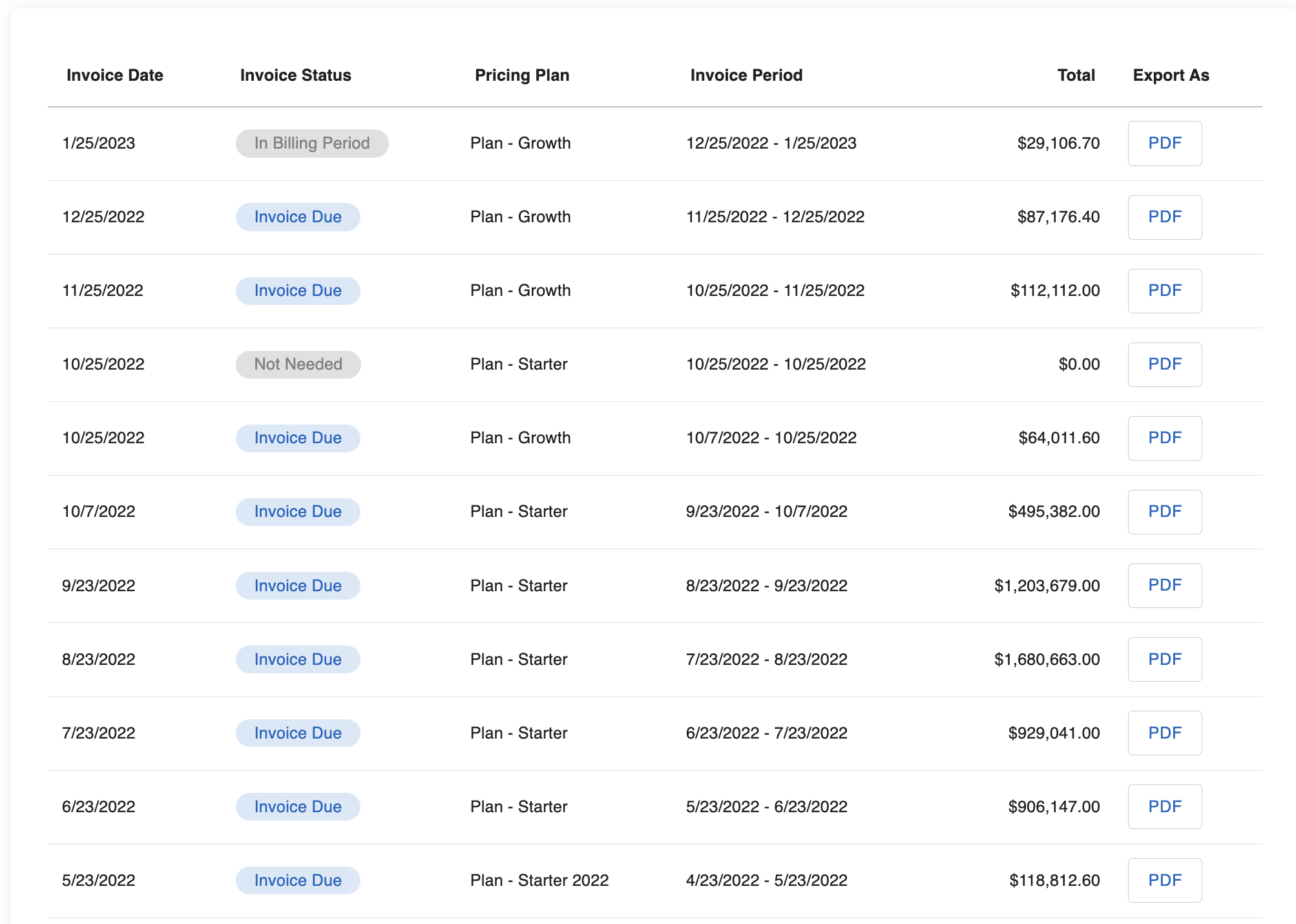
How to import:
import { InvoicesList } from '@amberflo/uikit'
Available Props
To see common props check ReactJS Integration / Common Props
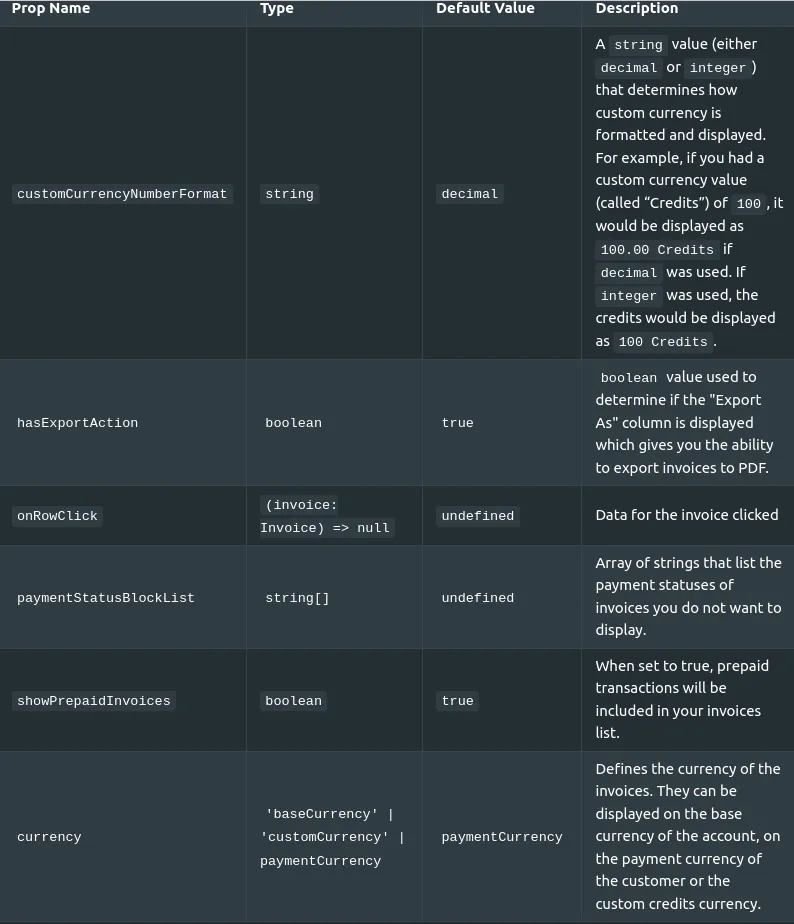
Note: Invoice data displayed in this component is affected by Invoice-related options.
Used Hooks
Orders Usage Graph and Table
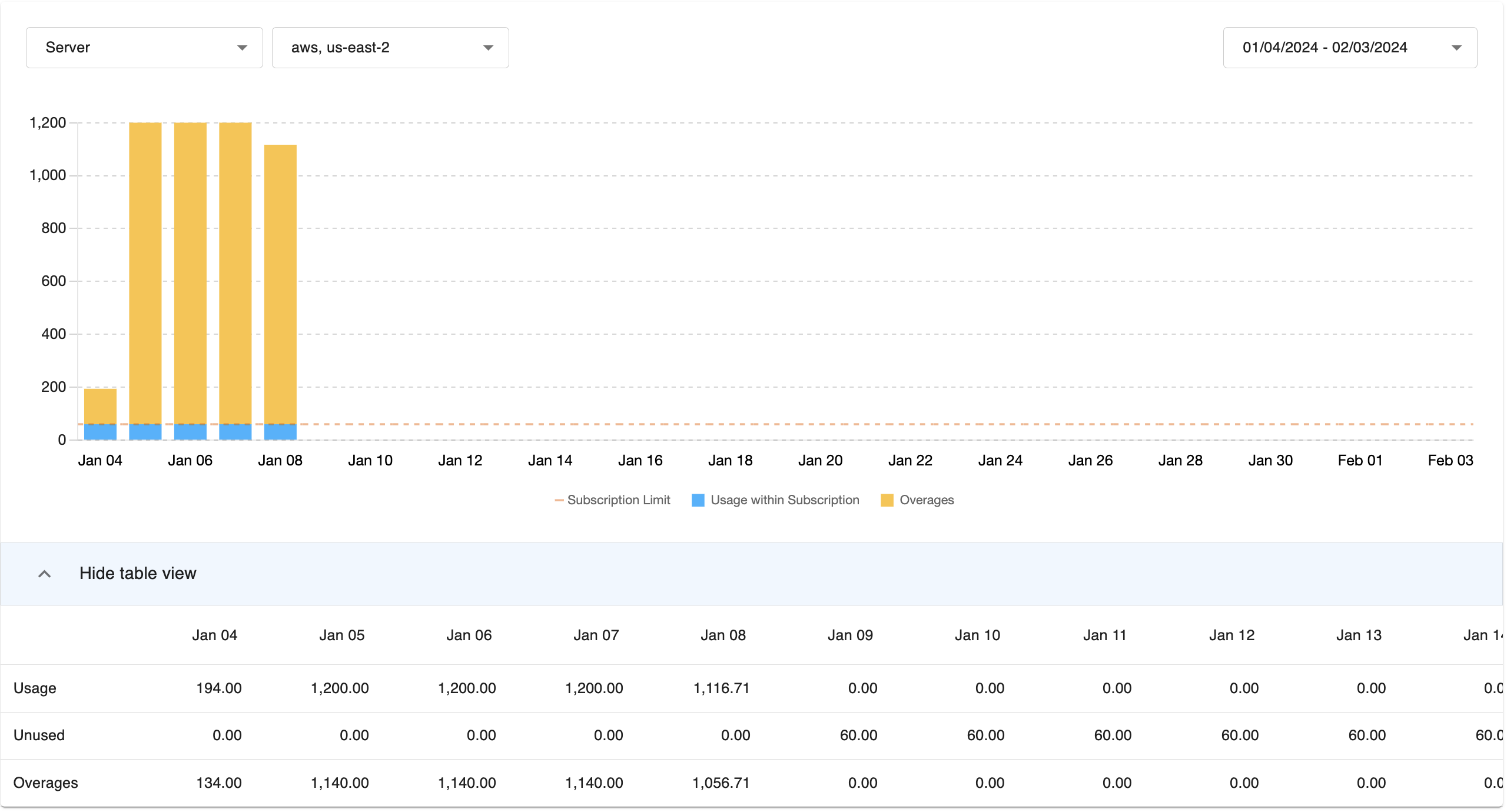
How to import:
import { OrdersUsageGraphAndTable } from '@amberflo/uikit'
To see common props check ReactJS Integration / Common Props . The following Common Props are not available for this component: callToAction, title, withContainer and withTitle. The ReactJS Integration | Common Graph Props are also available for this component.
Used Hooks
Prepaid Summary Graph
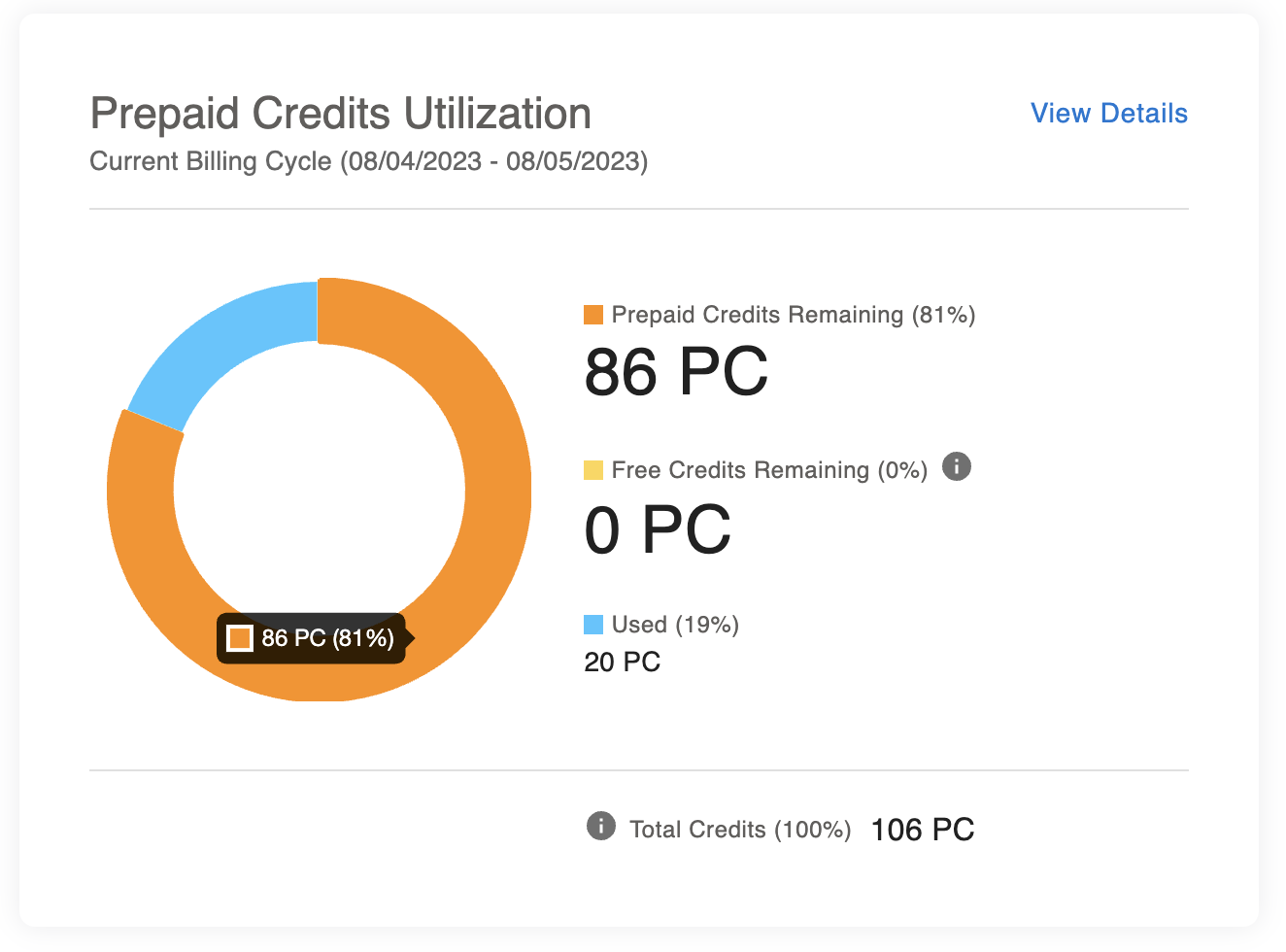
How to import:
import { PrepaidSummaryGraph } from '@amberflo/uikit'
Available Props
To see common props check ReactJS Integration / Common Props
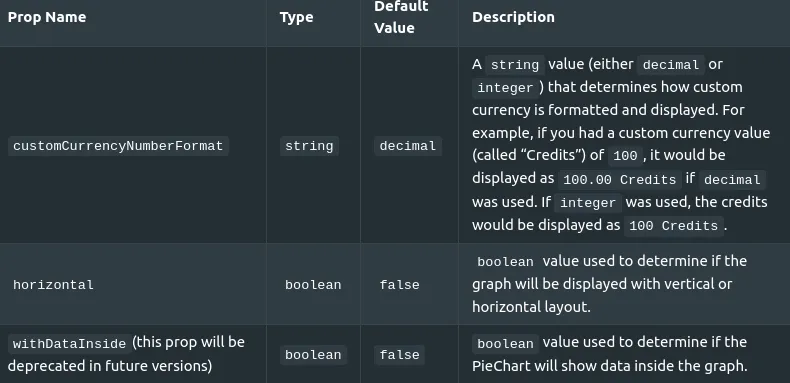
Used Hooks
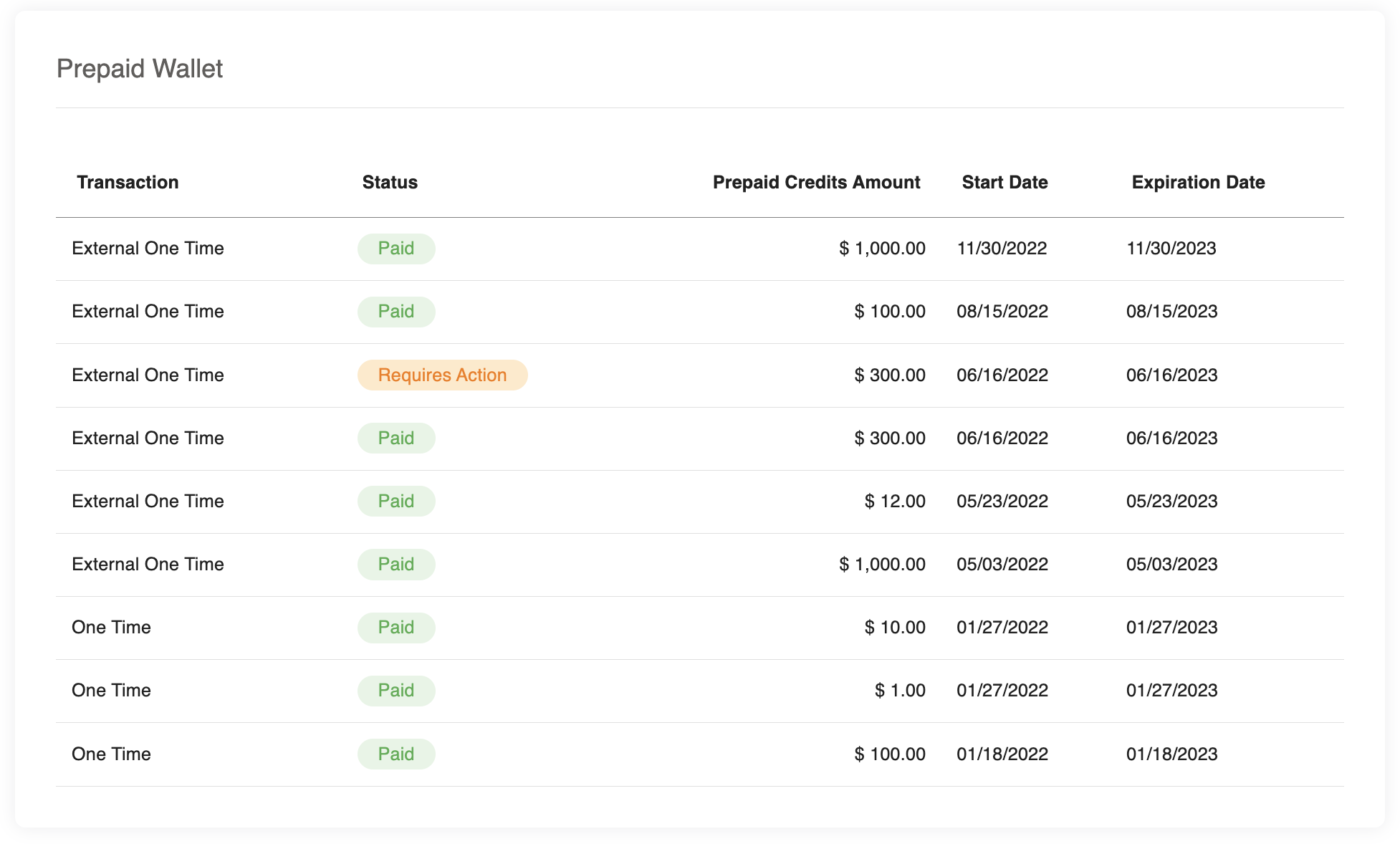
Prepaid Summary Table
How to import:
import { PrepaidSummaryTable } from '@amberflo/uikit'
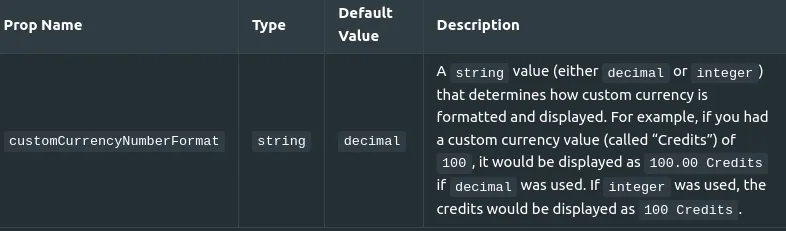
Available Props
To see common props check ReactJS Integration / Common Props
Used Hooks
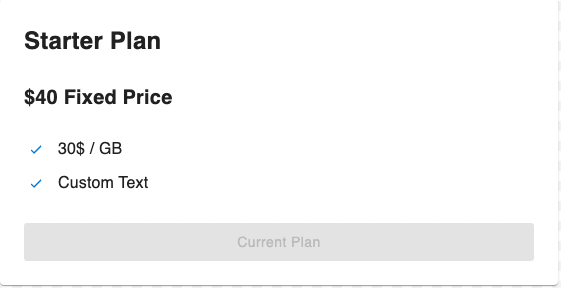
Pricing Plan
How to import:
import { PricingPlan } from '@amberflo/uiki'
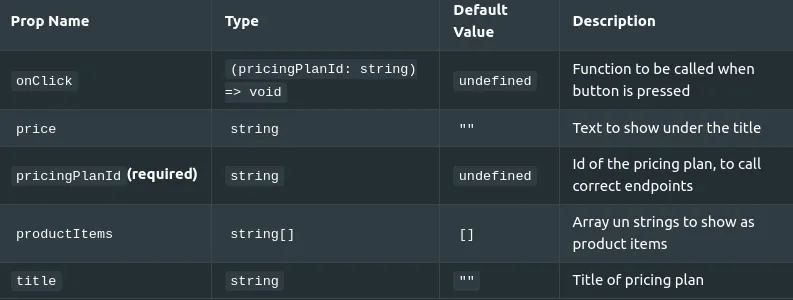
To see common props check ReactJS Integration / Common Props
Used Hooks
Pricing Plan Summary
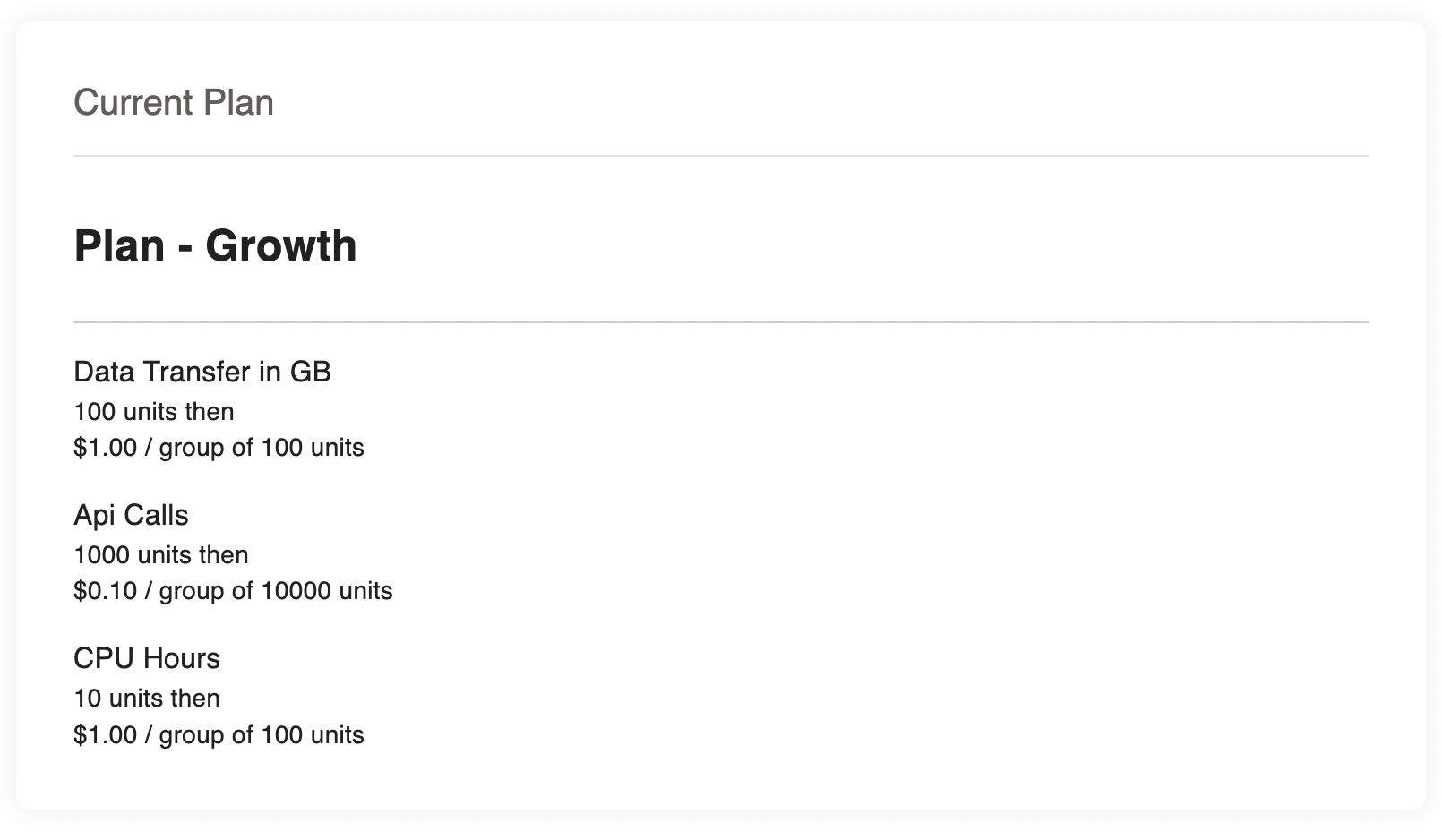
How to import: import { PricingPlanSummary } from '@amberflo/uikit'
Available Props
To see common props check ReactJS Integration / Common Props
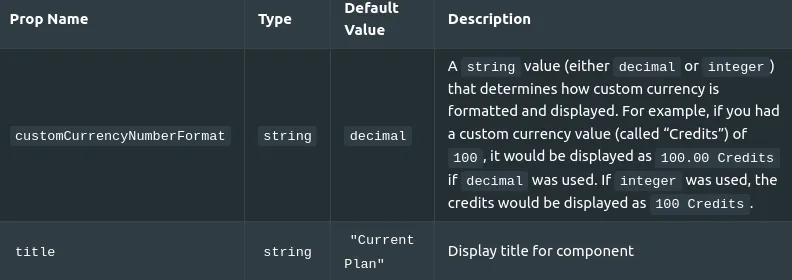
Used Hooks
Usage Graph
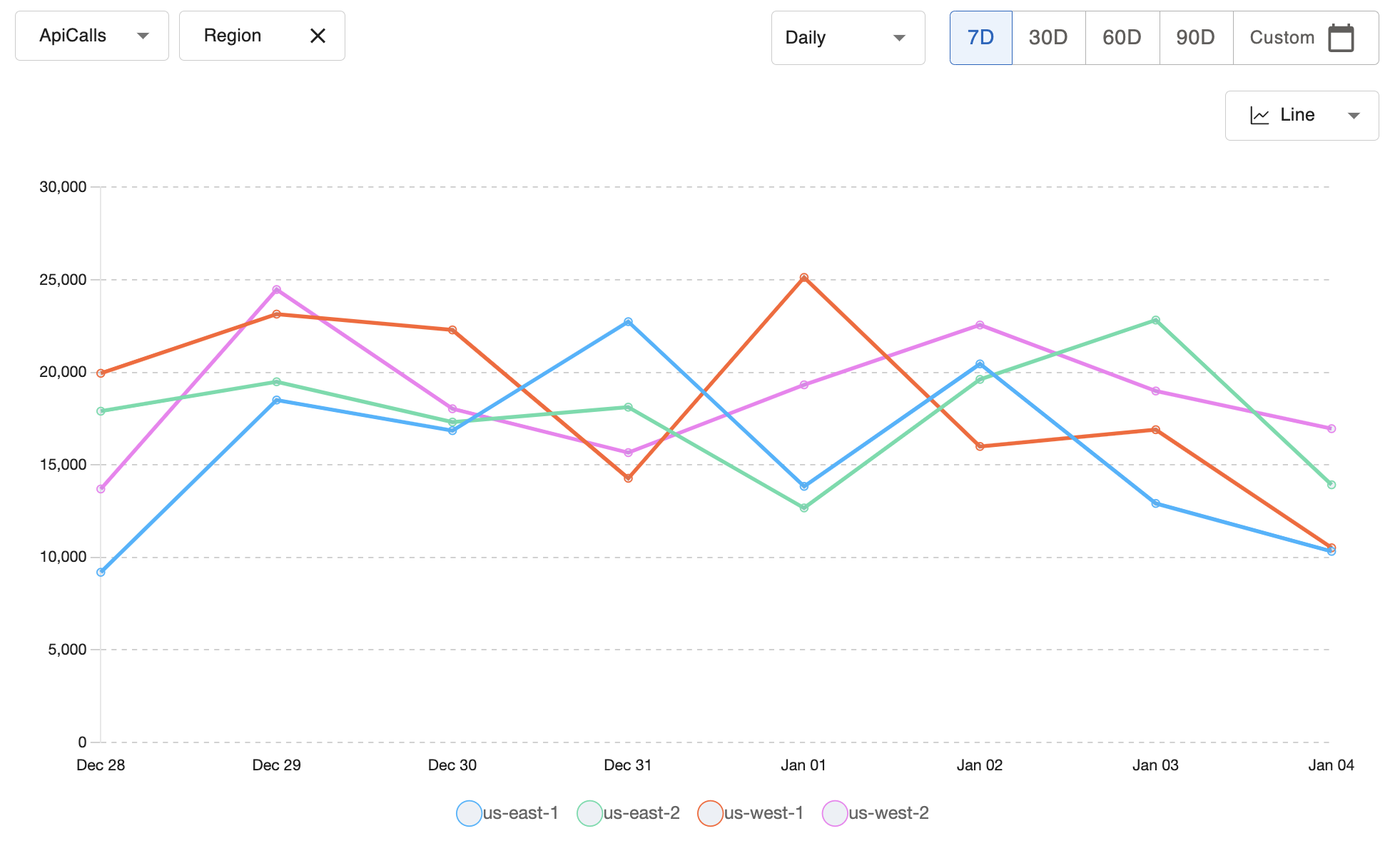
How to import:
import { UsageByMeterLineGraph } from '@amberflo/uikit'
Available Props
To see common props check ReactJS Integration / Common Props
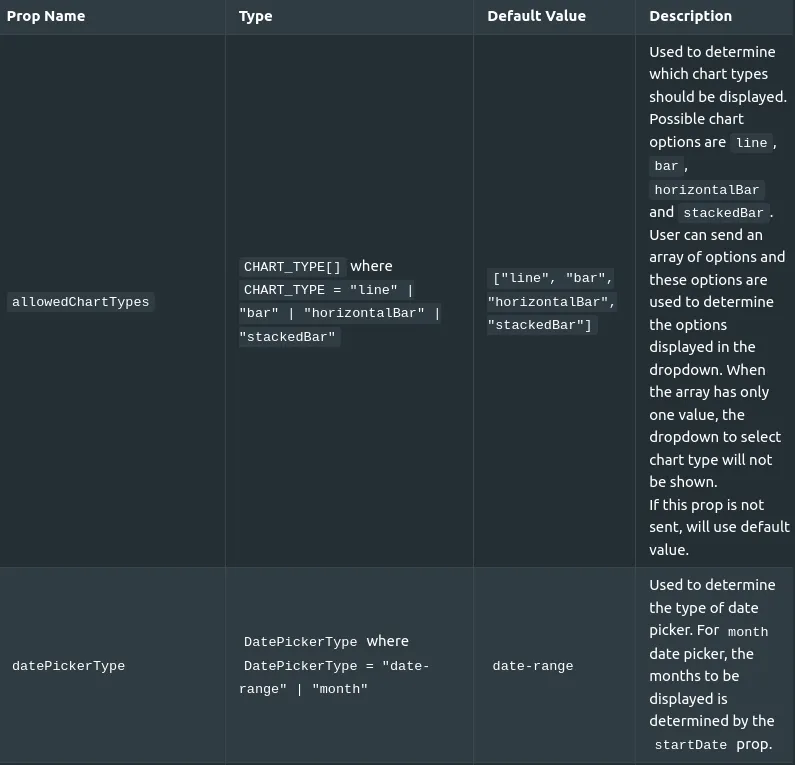
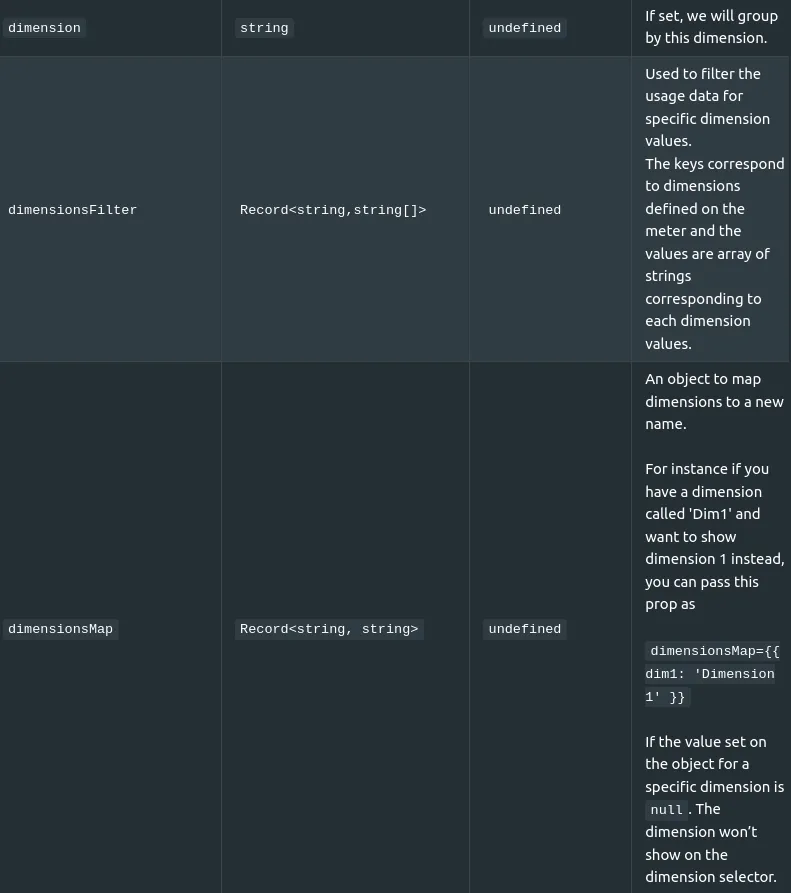
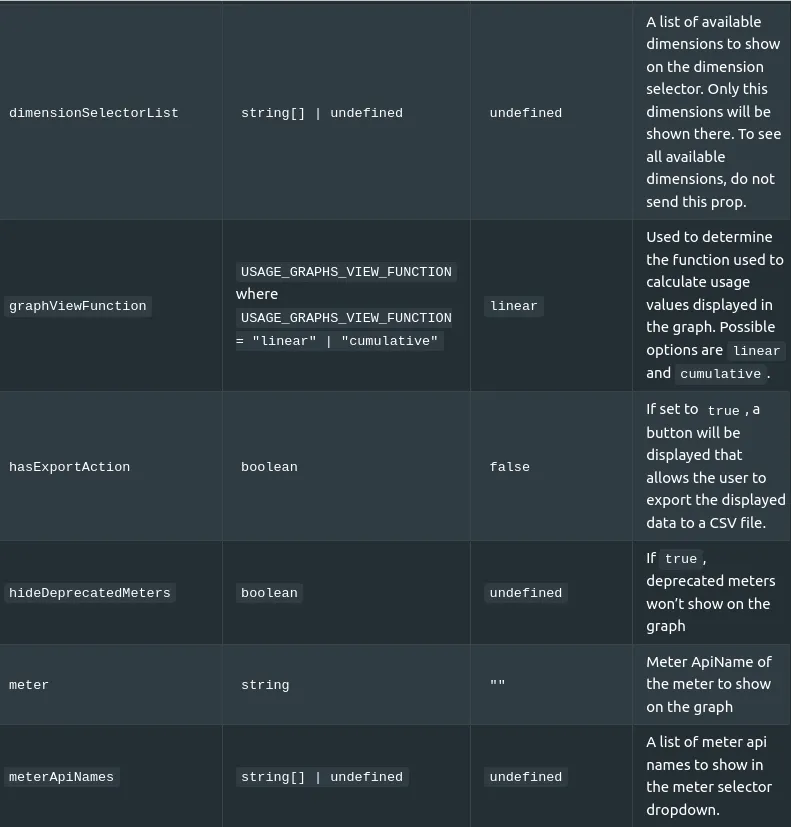
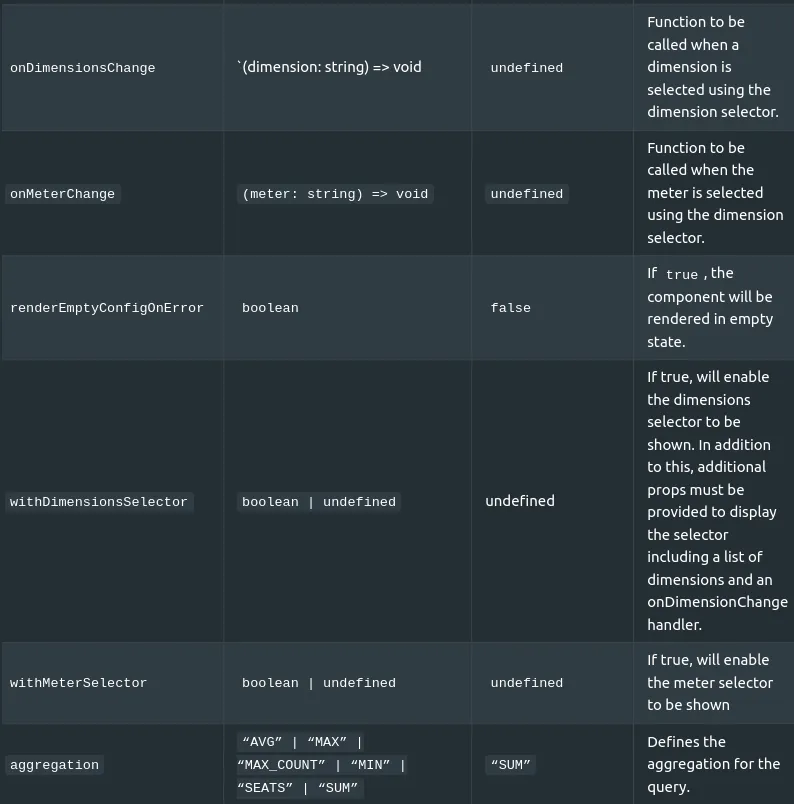
Used Hooks
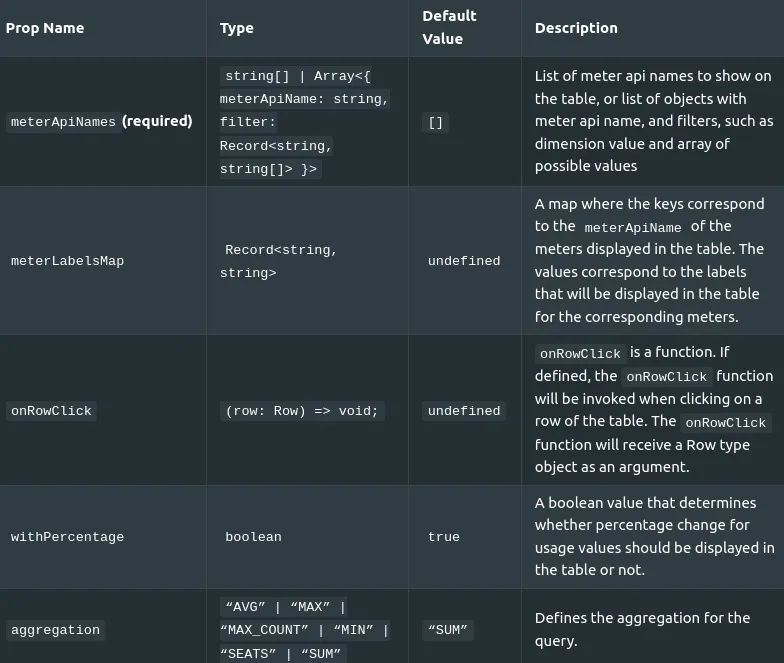
Usage Table
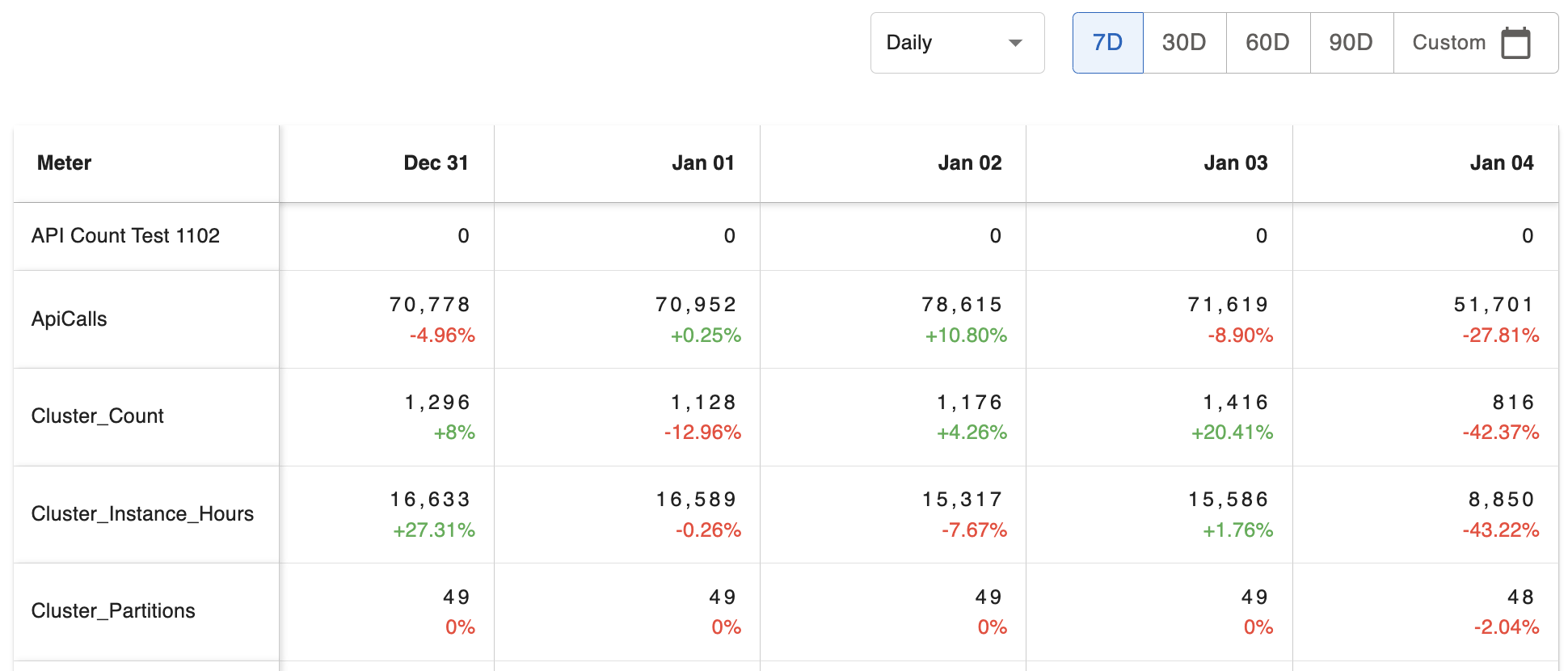
How to import:
import { UsageByMeterTable } from '@amberflo/uikit'
Available Props
To see common props check ReactJS Integration / Common Props
Used Hooks
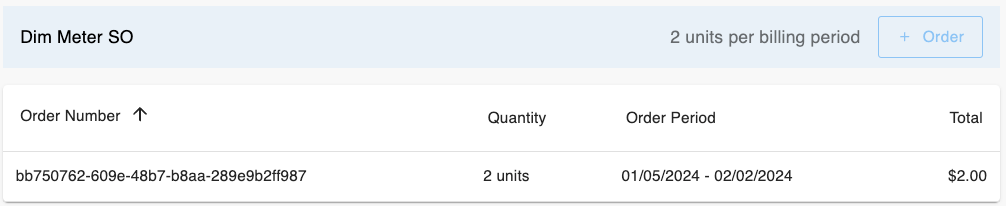
Order List
How to import:
import { OrderList } from '@amberflo/uikit'
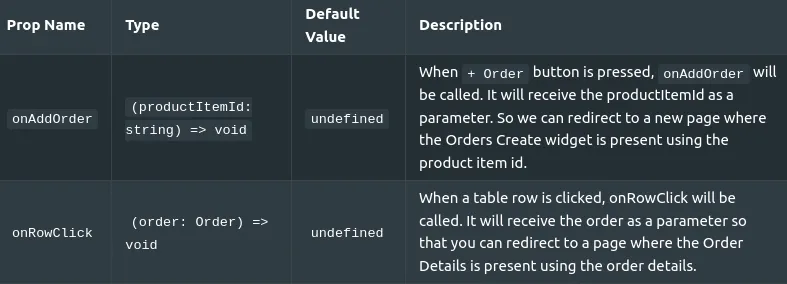
Available Props
To see common props check ReactJS Integration / Common Props
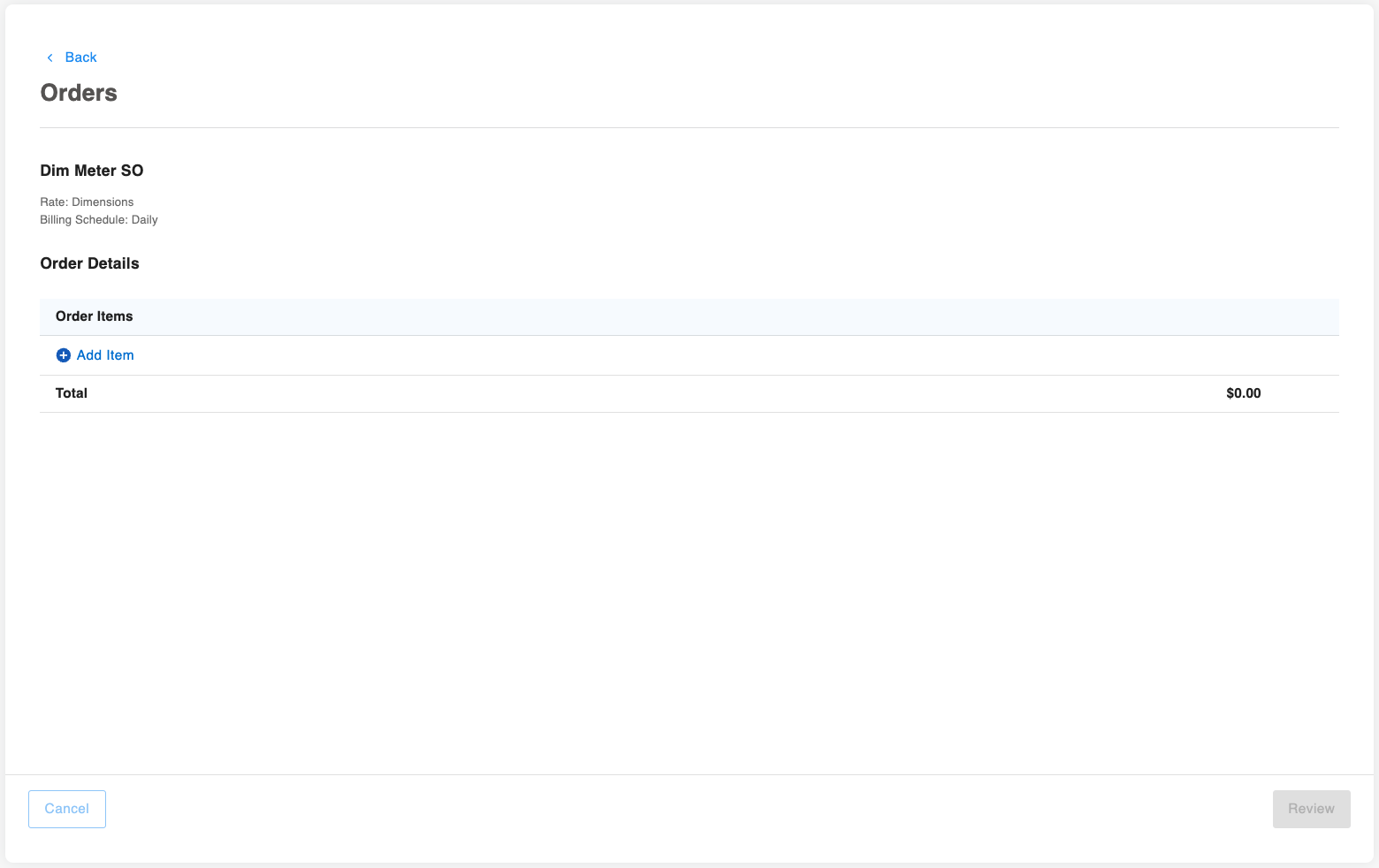
Order Create
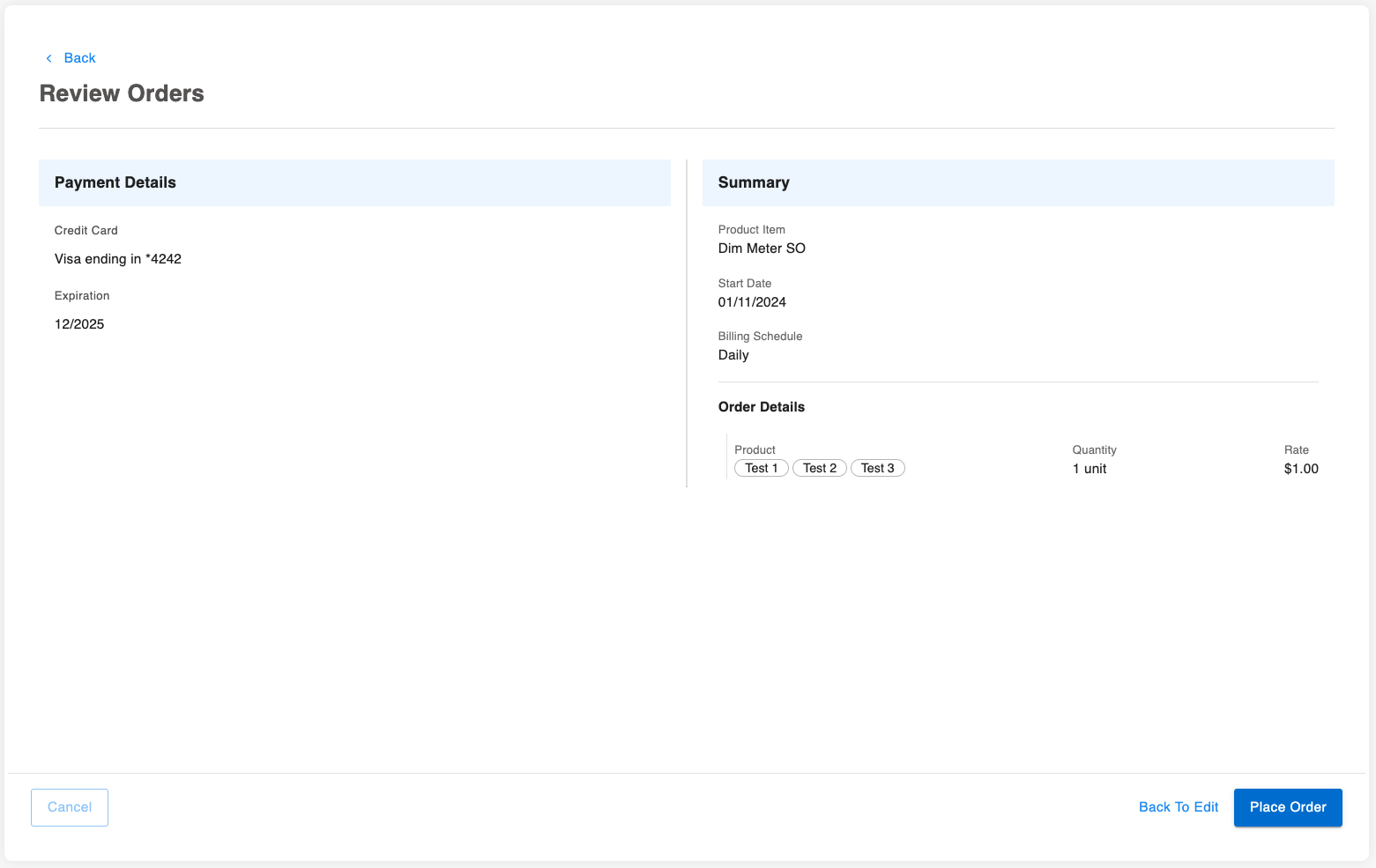
How to import:
import { OrderCreate } from '@amberflo/uikit'
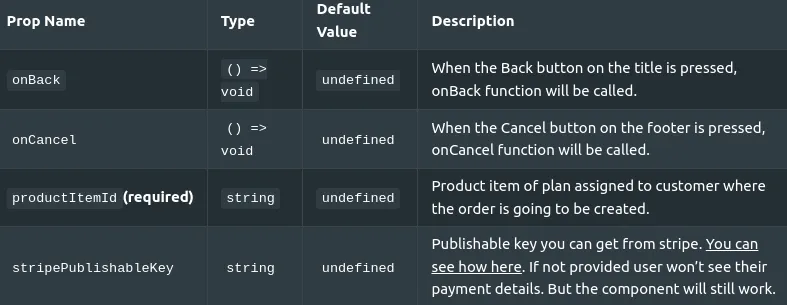
Available Props
To see common props check ReactJS Integration / Common Props
Order Details
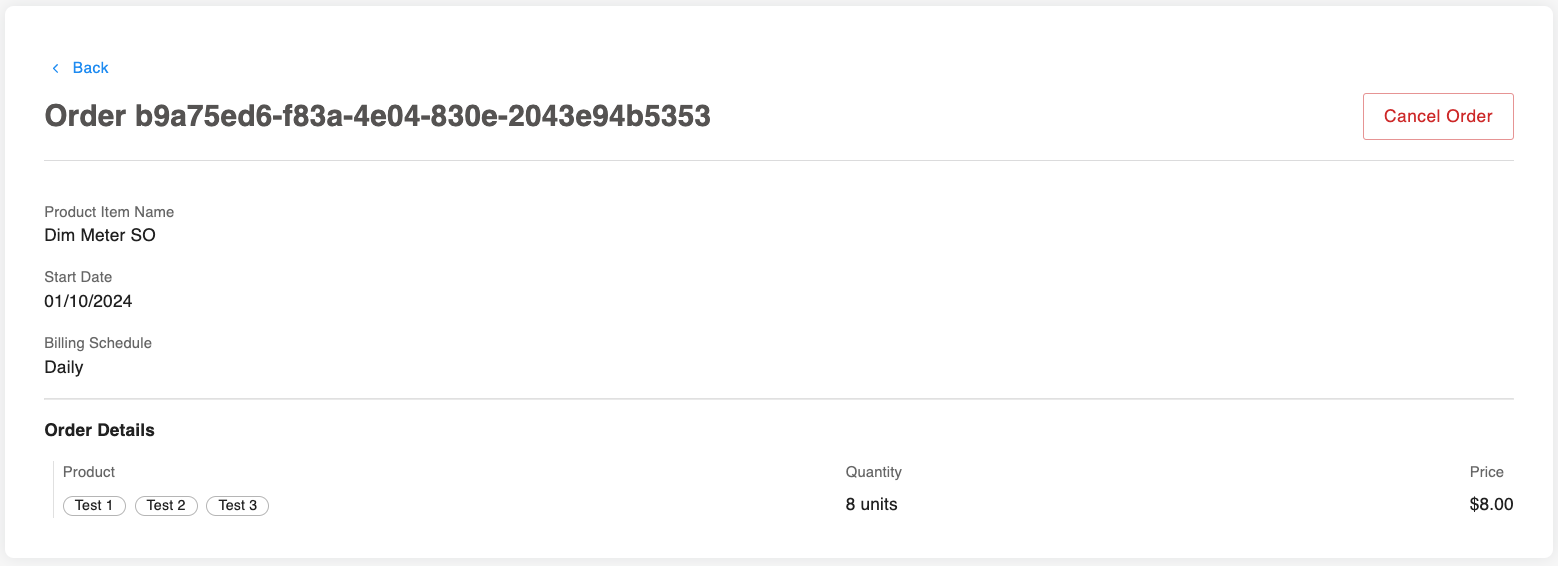
How to import:
import { OrderDetails } from '@amberflo/uikit'
Available Props
To see common props check ReactJS Integration / Common Props

Orders Usage Graph and Table
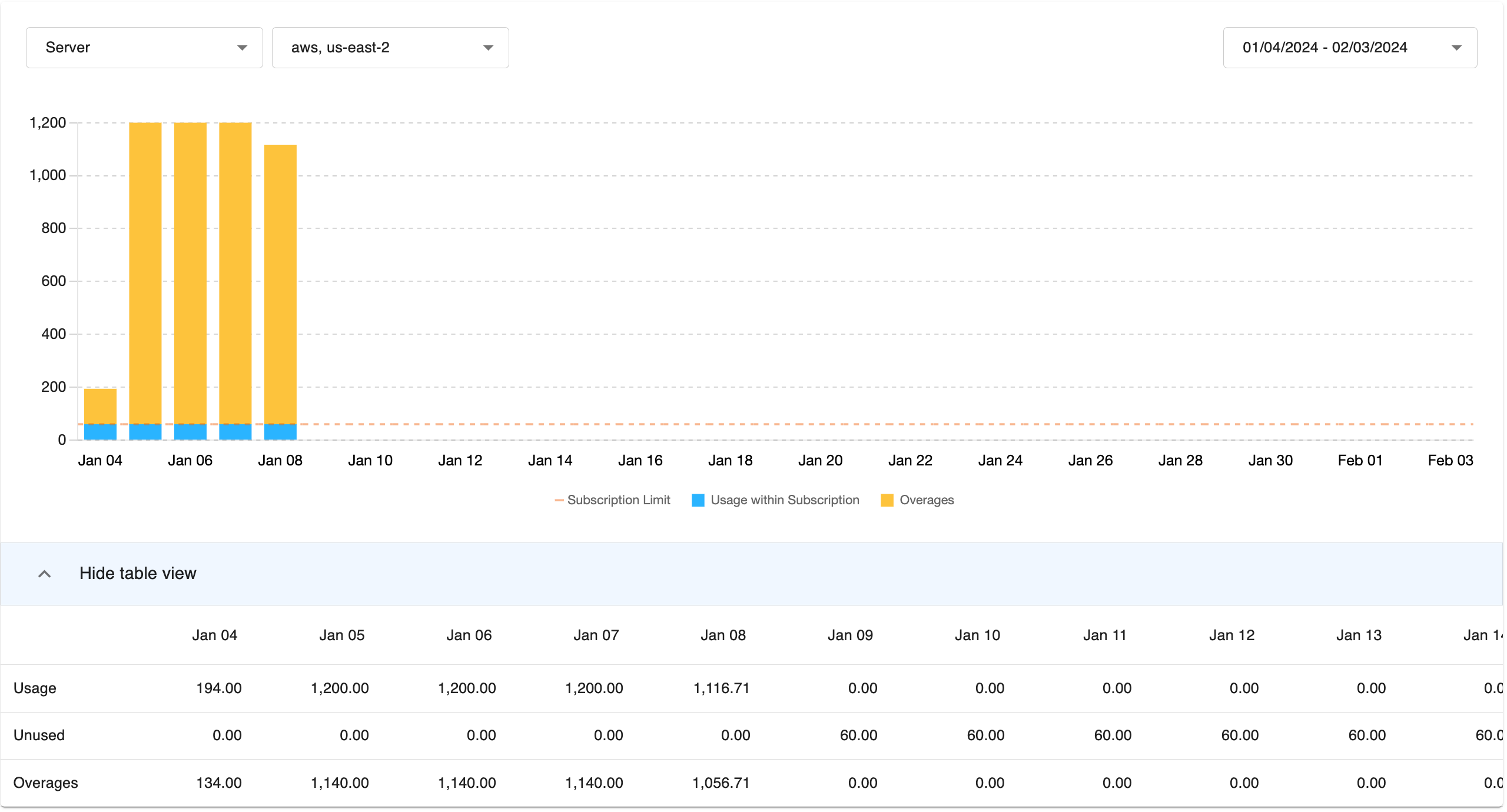
How to import:
import { OrdersUsageGraphAndTable } from '@amberflo/uikit'
Available Props
To see common props check ReactJS Integration / Common Props
To see graph props check ReactJS Integration / Graph Props
Stripe Setup Intent

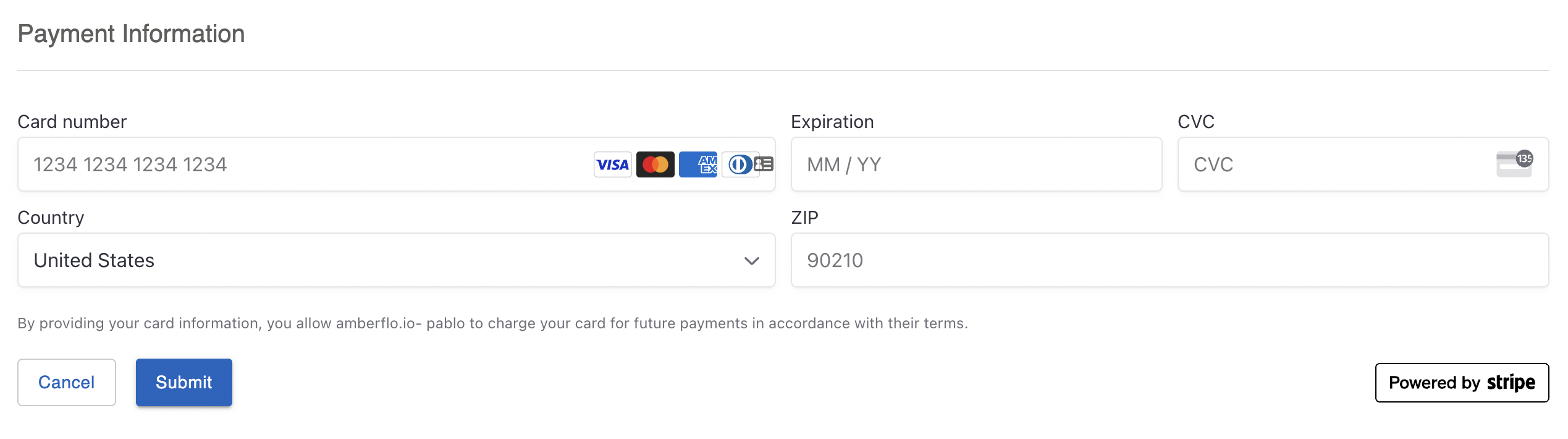
How to import:
import { StripeSetupIntent } from '@amberflo/uikit'
Available Props
To see common props check ReactJS Integration / Common Props
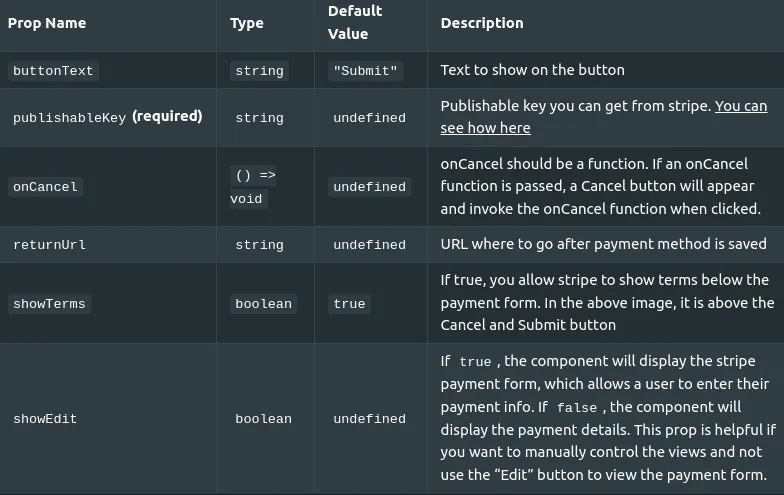
After the payment method is set. A redirect will happen to the returnUrl. It can be the same url as the actual one.
If the redirect url, has this component included, even if hidden, it will automatically set the default payment method. If not, read below how to set the default payment method.
How To Get Secret Key From Stripe
Call this endpoint:
📘 POST
Payload:
Response Body:
How to make a payment the default payment method
- After creating a new payment method, you’ll get redirected to a new URL with some query string parameters. The redirect is needed in order to get the query param called setup_intent_client_secret to retrieve payment method from Stripe.
- You need to retrieve the payment method from Stripe, by running: const setupIntentClientSecret = getQueryString("setup_intent_client_secret"); const { setupIntent } = await stripe.retrieveSetupIntent(setupIntentClientSecret);
- Submit the payment method to endpoint to set as default payment method:
📘POST
Payload
If on the redirect url, you place the StripeSetupIntentcomponent, even if hidden, it will trigger automatically the set default payment method.
You can also subscribe to usePaymentMethod() hook from @maberflo/uikit/hooks, like:
const { isSuccess } = usePaymentMethod()This isSuccess will change to true after setting the payment method.
Common Props
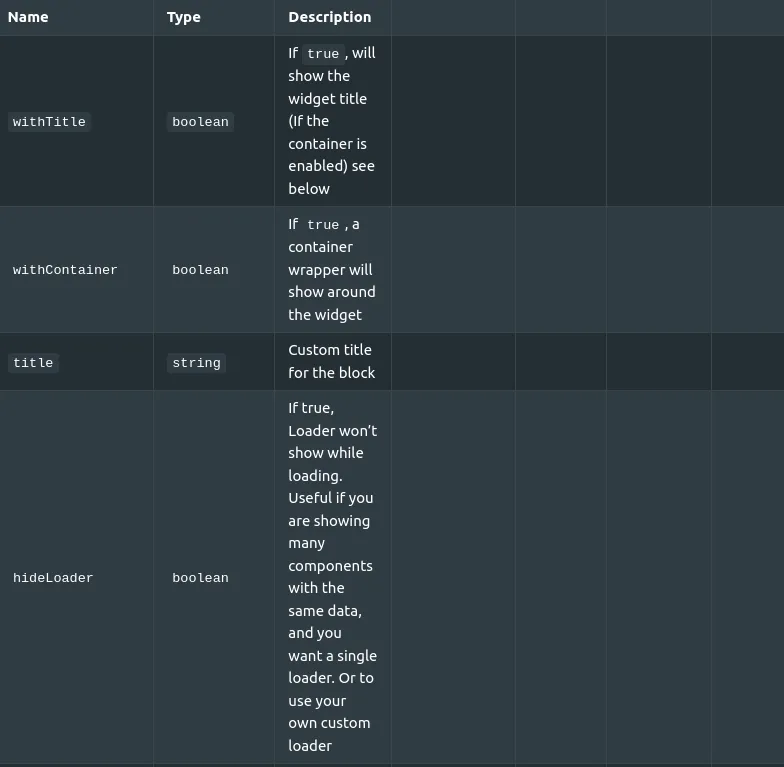
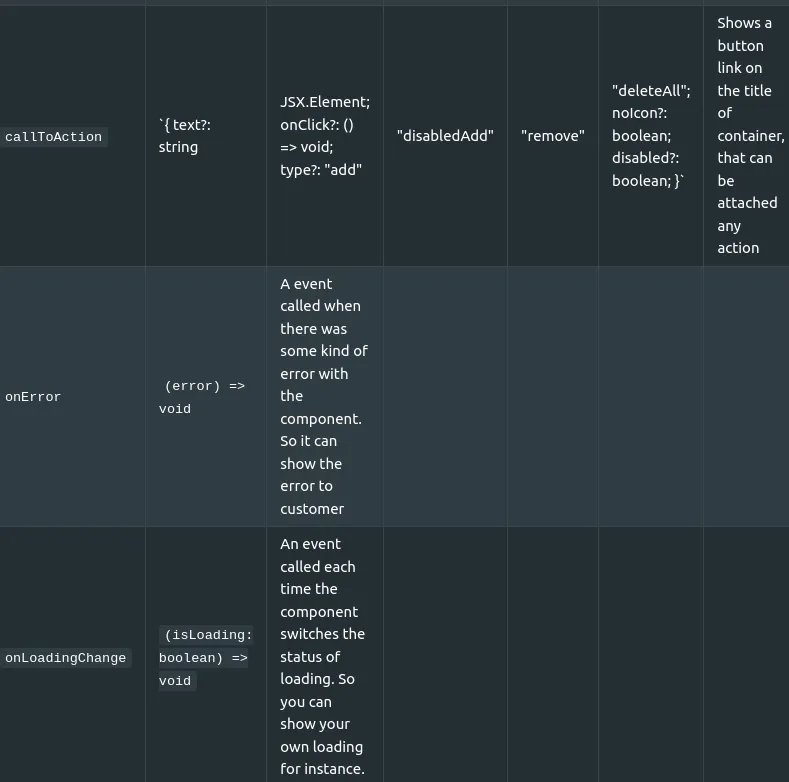
These are props common to all views, and non of them are required:
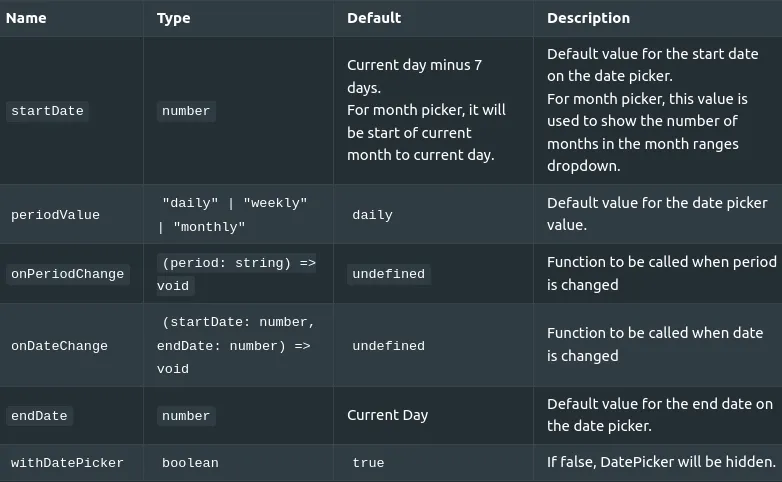
Common Date Picker Props
There are a few props shared by views that have a date picker. And none of them are required.
Views with date picker:
Shared props:
Common Graph Props
There are a few props shared by views that have a graph. And none of them are required.
Views with graphs:
Shared props:
Name | Type | Default | Description |
|---|---|---|---|
graphTextColor | string | undefined | Color for the axis of graphs |
customGraphOptions | ChartOptions | undefined | We use Chart.js for our graphs. This prop allows to customize the graph using all the options they provide. For more info check: https://www.chartjs.org/docs/latest/general/options.html For example, you could change text colors, lines or bars weight, add animations, etc. |